Context Menus
Context menus provide commands that match the active view and selected object. They are useful for fast editing in the Gantt chart, network diagram, Gantt-network chart, and resource views.
Gantt Chart
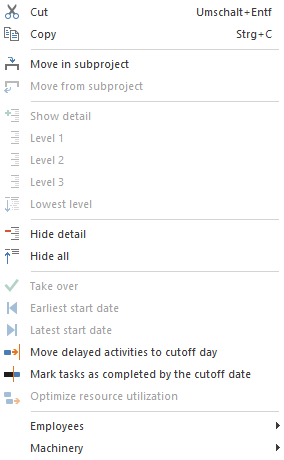
Typical commands:
create a new activity
create a new subproject
insert an activity or subproject from a template
cut, copy, and paste
open properties
edit or delete links
optimise resource utilisation for a subproject
Network And Gantt-Network Chart
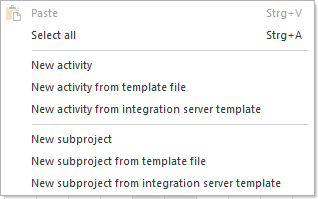
Typical commands:
create and edit activities
create and edit subprojects
expand or collapse outline levels
use dates from contained activities
set earliest or latest possible start dates
create or delete links
Target/Actual Comparison
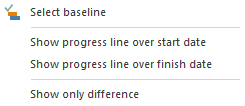
Typical context commands:
Show progress line for start dates
Show progress line for finish dates
Show only differences
Resource Views
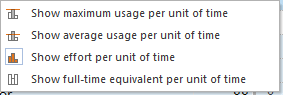
Typical commands for displaying resource utilization:
Show maximum usage per unit of time
Show average usage per unit of time
Show effort per unit of time
Show full-time equivalent per unit of time
Integration Server
In server operation, additional context commands may be available, for example templates from Integration Server or functions for cross-project links.