Transfer Project Dates From Tasks
You define the start and finish dates of a project when you create the project. When tasks move during planning, the project frame no longer matches the first and last task automatically. With this function, you recalculate the project start and project finish from the contained tasks.
Starting Point
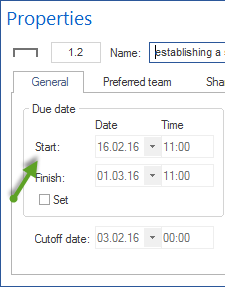
When a project is created, Rillsoft Project sets the project duration to two weeks by default. Start and finish dates can be defined in the project properties.
Recalculate Project Dates
To make the project frame match the period of the tasks exactly:
Open the project in the Gantt chart.
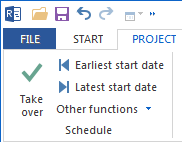
Choose Project > Schedule > Take over.
Rillsoft Project then sets the project start to the start date of the first task and the project finish to the finish date of the last task.
Distinction
Do not confuse this function with the context command of the same name on subproject level. The command Take over start and finish dates of activities in the context menu of a subproject sets only the start and finish of that subproject. The function Project > Schedule > Take over described here applies to the whole project.
More: Views