Why Are There Partially Assigned Resources?
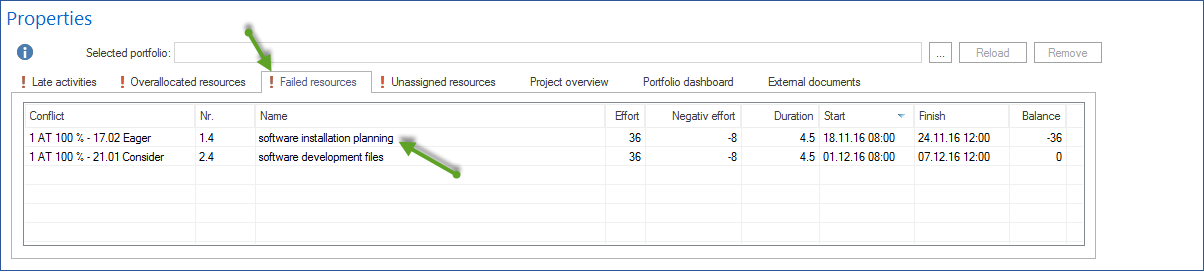
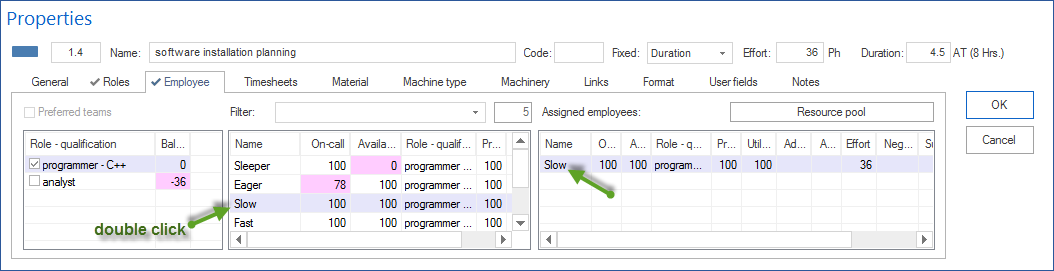
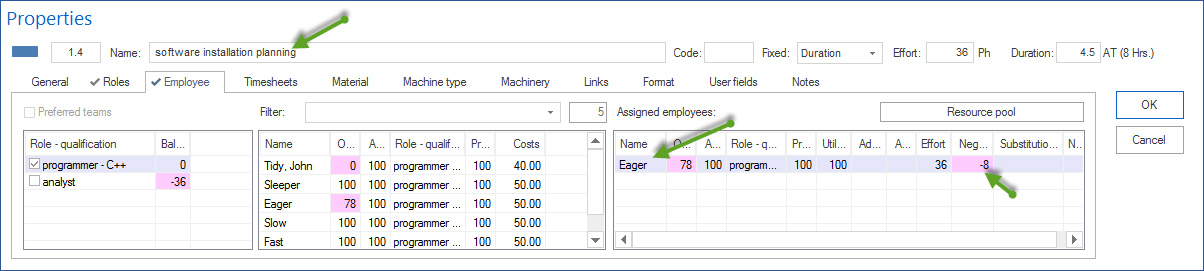
A partial assignment means that the role demand of a task is only partly covered by assigned employees. The difference is shown in the employee balance. Causes include too few assigned employees, too low a workload percentage, limited availability, or restrictive team and filter settings. Check and complete the assignment on the Employee tab of the task.
Symptom
Entries appear under Start > Properties > Info > Partially assigned resources. The effort of a task is not fully covered by assigned employees.
What This Means
A task has role demand, for example three days of engineering work. The assigned employees cover only part of that demand. The employee balance shows the difference.
Typical Causes
Role demand was planned, but only part of the required employees was assigned.
The employee’s workload percentage is too low.
An employee is not fully available during the period.
Preferred teams or filters restrict the selection.
The task was changed, but the employee assignment was not adjusted.
Solution
Open the affected task.
Switch to the Employee tab.
Check role demand, assigned employees, effort, and workload percentage.
Assign additional suitable employees or adjust the workload percentage.
Check the employee balance again.
Tip
Use the filter function in the employee view to show only resources that are not fully assigned or are overloaded. In large projects, this reduces the data volume significantly.