Target/Actual Comparison and Project Control
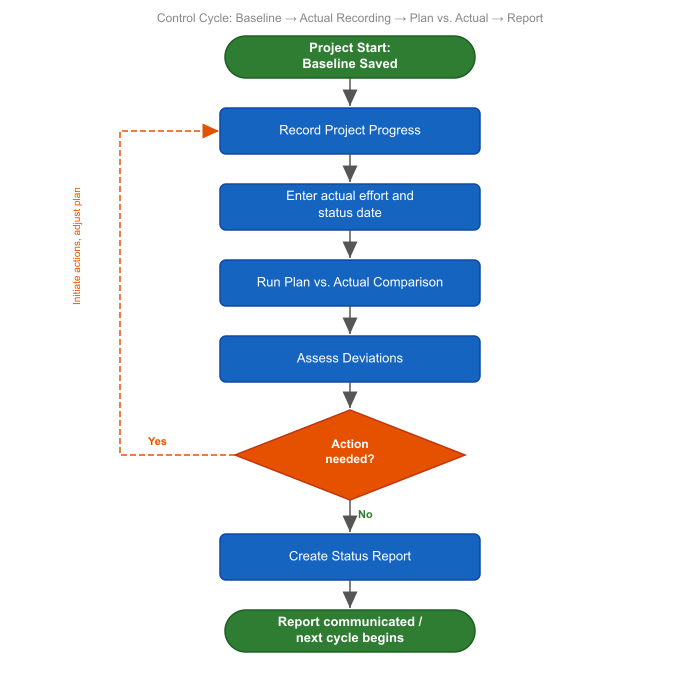
This section explains how to check a running project plan against the planned state, evaluate deviations, and prepare control decisions.
Rillsoft Project connects project control with scheduling, resource planning, and project controlling. A baseline stores the planned state. Progress data, cutoff date, actual effort, and current assignments then show whether dates, effort, resources, and costs are still within the expected range.
When to Use This Section
Use project control when:
an approved schedule or resource plan should be monitored
the current project state must be compared with an earlier planned state
schedule deviations, effort deviations, or cost deviations become visible
resource overloads, failed resources, or unassigned role effort endanger implementation
project manager, PMO, or management need a reliable decision basis
Basic Principle
Project control does not only answer how far a project has progressed. It primarily clarifies whether the current state still matches the approved plan.
The workflow has five steps:
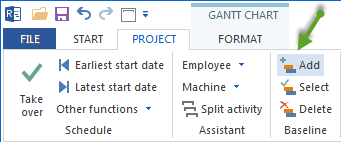
Save a baseline
Save a plan state as soon as dates, resource demand, assignments, and costs should serve as a binding basis.
Enter progress
Maintain completion percentage, actual effort, or other progress information for relevant tasks.
Set the cutoff date
Define the date up to which progress is evaluated. The cutoff date separates implementation so far from future planning.
Evaluate target/actual comparison
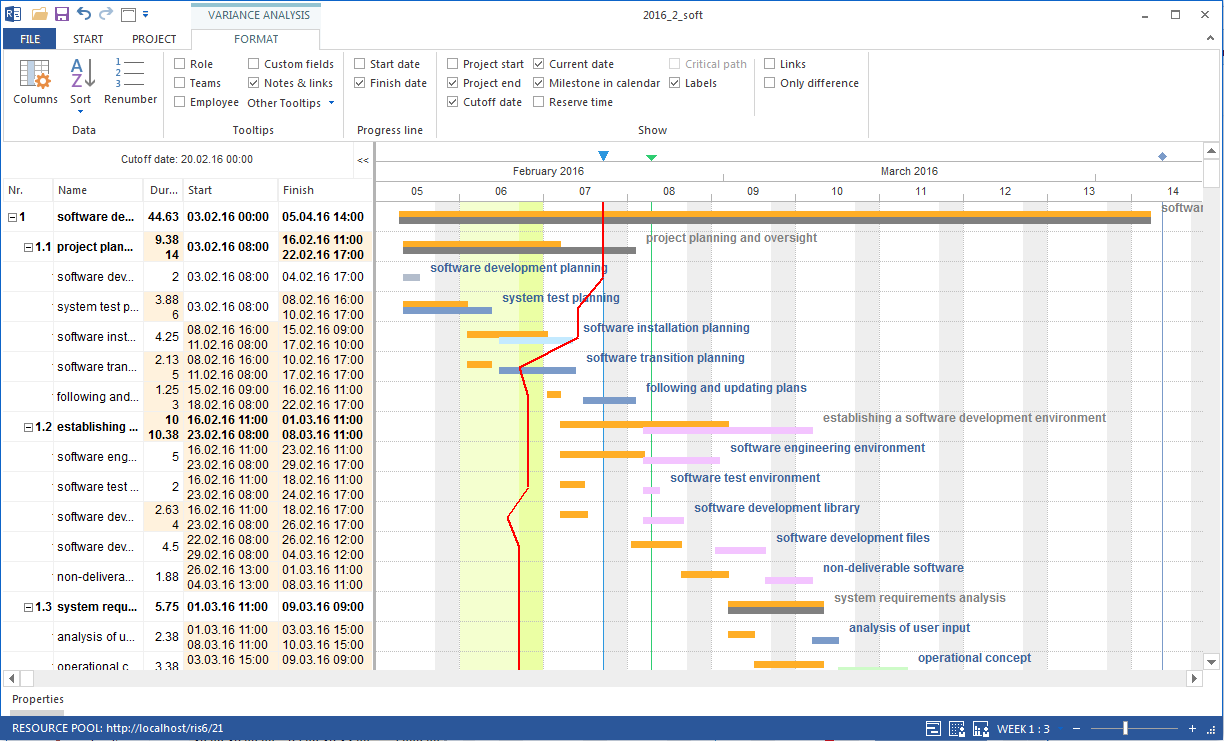
Compare the current project state with the selected baseline. Check dates, effort, costs, roles, employees, material, and machines.
Prepare the control decision
Decide whether dates must be adjusted, resources clarified, assignments changed, costs checked, or a new baseline saved.
Set the Cutoff date
The cutoff date is the date for which target/actual comparison is calculated. It determines which tasks should be completed, started, or still open on the evaluation date.
Purpose of the cutoff date:
Progress bars and deviations in the Gantt chart refer to the cutoff date.
Tasks that should have finished before the cutoff date but are not yet complete become visible as late.
The cutoff date is independent of the system date, so earlier or planned evaluation states can also be analyzed.
Set the cutoff date:
Choose Start > Properties > Project and use the Cutoff date field.
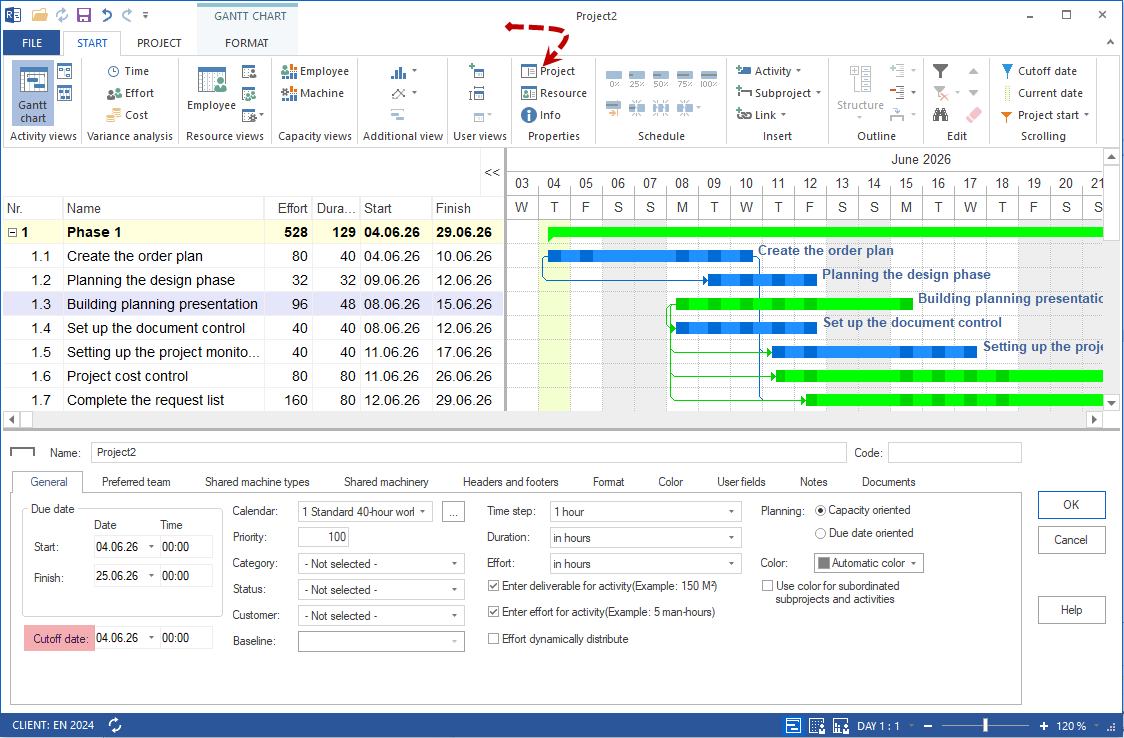
Select the date from the calendar.
Confirm the selection.
A vertical line appears in the Gantt chart at the cutoff date.
To remove the cutoff date, set it to an empty date or disable it in the same menu.
For regular control, set the cutoff date to the current evaluation date, for example daily or weekly before status review.
Important Deviations
Deviation |
Meaning for control |
|---|---|
Schedule deviation |
Tasks, subprojects, or milestones are earlier or later than in the baseline. |
Effort deviation |
Actual or expected effort differs from planned effort. |
Cost deviation |
Resource costs or total costs develop differently than planned. |
Resource deviation |
Role demand, employee assignment, material, or machine demand has changed. |
Progress deviation |
Tasks should have progressed further by the cutoff date. |
Financing deviation |
Cost development and planned incoming payments do not match in time. |
Result
After project control, you should know:
which tasks or subprojects deviate from the plan
whether the deviation concerns dates, effort, costs, or resources
whether the project finish date is endangered
whether resource bottlenecks are the cause of the deviation
whether a new baseline is needed or the existing baseline remains the reference
which points belong in the status report

Next Steps
project control, baseline, target actual comparison, progress, variance, reporting date, deviation, project manager, pmo