IT and Administration
IT and administration ensure that Rillsoft Project, Rillsoft Integration Server, or Rillsoft Cloud can be used correctly from an organizational and technical perspective. This includes users, rights, clients, central data storage, resource pool, folders, interfaces, and add-on modules.
This role is especially relevant when the organization does not work only with local project files, but uses central server operation with multi-user access, project portfolio, time entry, vacation planning, or DMS.
Typical Tasks
classify Integration Server or Cloud operation
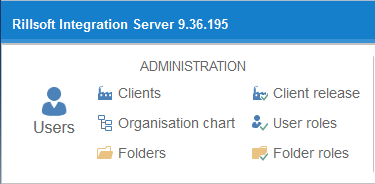
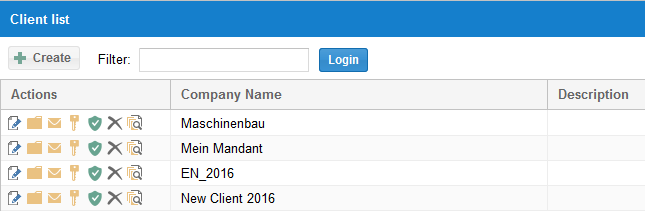
manage users and clients
maintain user roles and access rights
enable access to the resource pool
manage virtual folder structures for projects and portfolios
support project access, locks, and multi-user operation
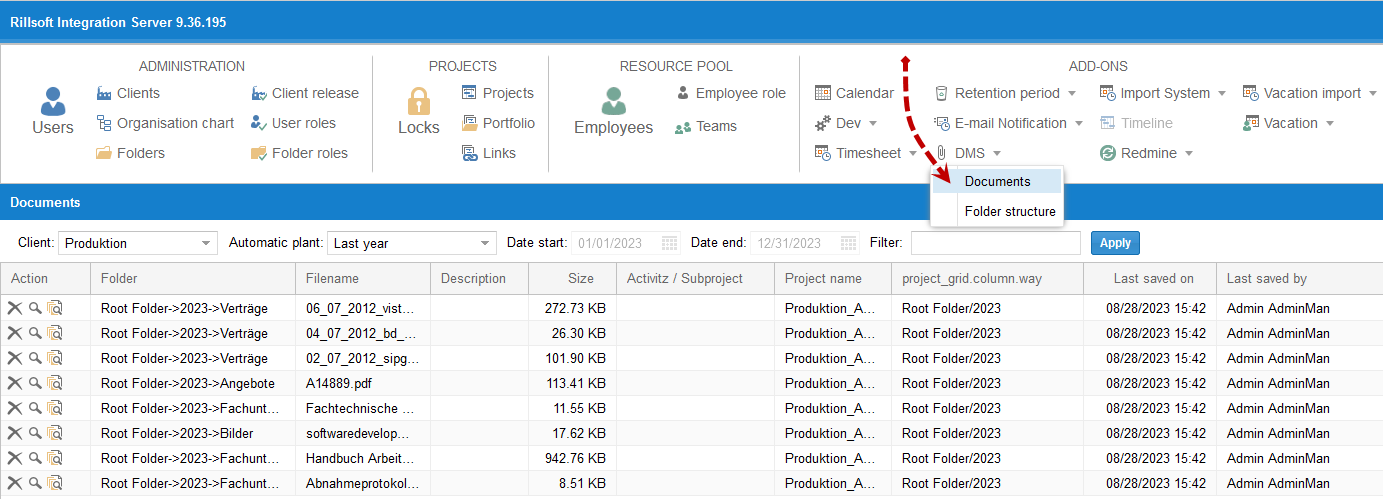
administer LDAP, email, DMS, time entry, and vacation planning
consider data storage, auditability, and version control
Working Path for IT and Administration
Clarify operating model
Rillsoft Project can be operated locally with project files, with Rillsoft Integration Server, or with Rillsoft Cloud. The operating model determines where projects are stored and which administrative functions are available.
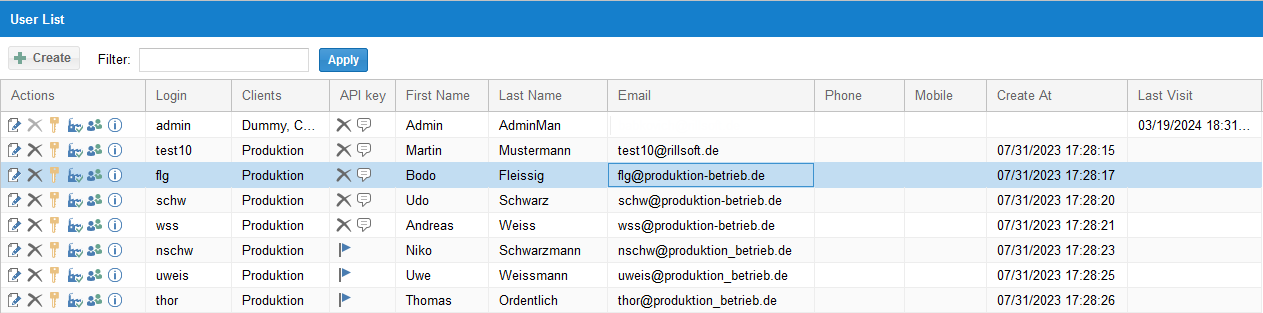
Maintain users and rights
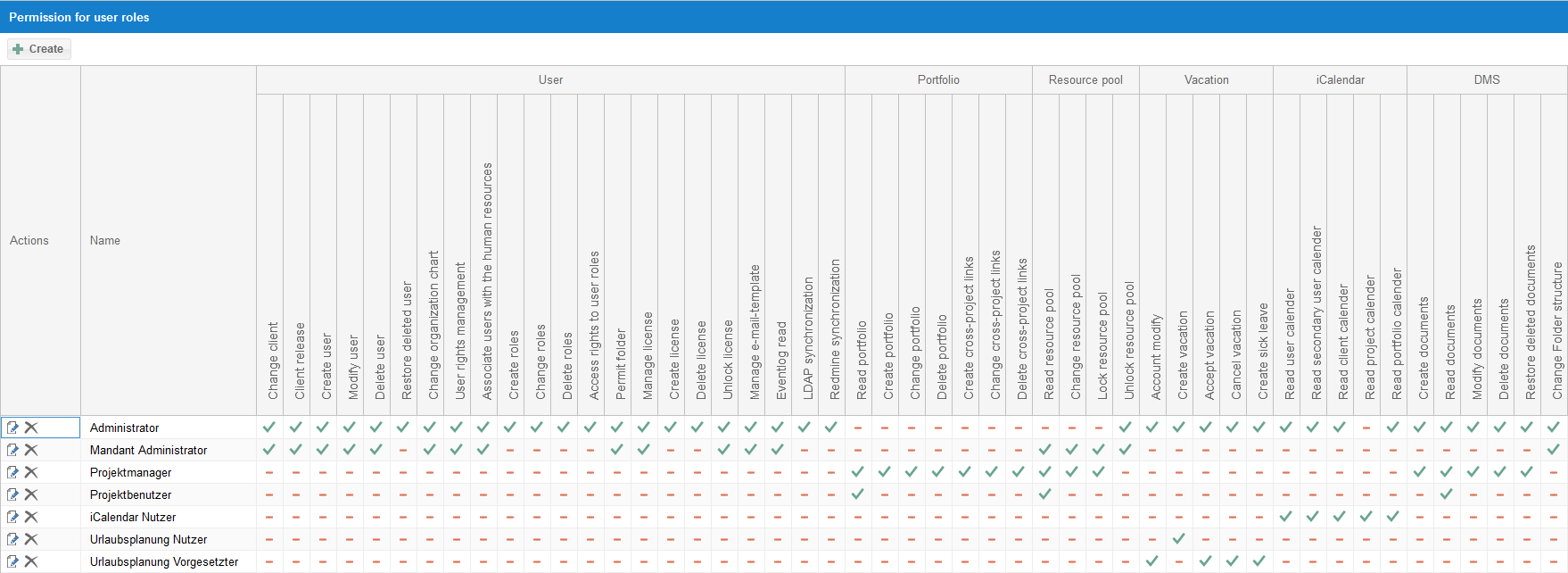
In Integration Server, user roles define rights for user management, portfolio, resource pool, and add-on modules. For work with Rillsoft Project, at least Read resource pool access is required.
Structure clients and folders
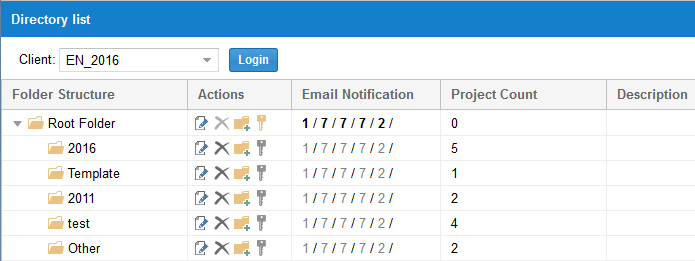
In server operation, projects, portfolios, and templates can be stored in virtual database folders. The folder structure is managed in the web interface.
Protect the resource pool
The resource pool is the basis for planning, capacity balancing, and portfolio work. Define who may read, change, lock, or unlock it.
Operate add-on modules
Depending on the installation, time entry, vacation planning, DMS, email notification, iCalendar, LDAP, and other modules may be involved.
Separate Technical User Roles and Professional Roles
The professional roles in this help section describe ways of working. The technical user roles in Rillsoft Integration Server control permissions.
Typical predefined user roles in Integration Server are:
Administrator
Client Administrator
Project Manager
Project User
iCalendar User
Vacation Planning User
Vacation Planning Supervisor
Assign these roles so that users receive only the data and functions they need for their work.
Important Administration Areas
Area |
Purpose |
|---|---|
User management |
Create, change, delete, and release users for clients. |
User roles |
Control rights for portfolio, resource pool, user management, and add-on modules. |
Resource pool |
Control read, change, lock, and unlock rights. |
Portfolio |
Control read, create, change, delete, and cross-project dependency rights. |
DMS |
Manage documents and folder structures. |
Vacation planning |
Model vacation, illness, and approval processes organizationally. |
Time entry |
Make feedback and actual times usable for project control. |
Decisions
Question |
Decision |
|---|---|
Local files or server operation? |
Define standalone operation, Integration Server, or Cloud. |
Who may change the resource pool? |
Assign rights narrowly and name professional owners. |
Who may change portfolios and cross-project dependencies? |
Define PMO or project-manager rights. |
How are absences maintained? |
Define vacation planning, illness reporting, and calendar process. |
How are documents managed? |
Define DMS structure and rights. |