Perform Capacity Balancing
Goal
Compare resource demand with resource supply and check whether the available working capacity is sufficient for the planned period.
Professional Context
Capacity balancing is the decision point between resource planning and resource assignment.
Before capacity balancing, you know:
which tasks are planned
which professional qualifications are required
which effort arises in the period
which employees are maintained in the resource pool
which working times and non-working days apply
After capacity balancing, you know:
whether matching capacity is available
which qualifications are undercovered
when bottlenecks arise
whether dates, demand, or resource supply must be adjusted
which basis exists for later employee assignment
Prerequisites
The schedule is professionally stable.
Professional qualifications have been assigned to tasks.
Effort and period are maintained plausibly.
The resource pool contains employees with matching qualifications.
Working times, calendars, and non-working days have been checked.
Use Capacity Views
The old Rillsoft documentation lists several capacity views, including:
Human Resource Capacity Balancing
Human Resource Capacity Balancing, percentage of roles
Human Resource Capacity Balancing with additional Gantt chart
Project-specific Human Resource Capacity Balancing
Human Resource Capacity Balancing with additional resource diagram
Machinery Capacity Balancing
Machinery Capacity Balancing with additional resource diagram
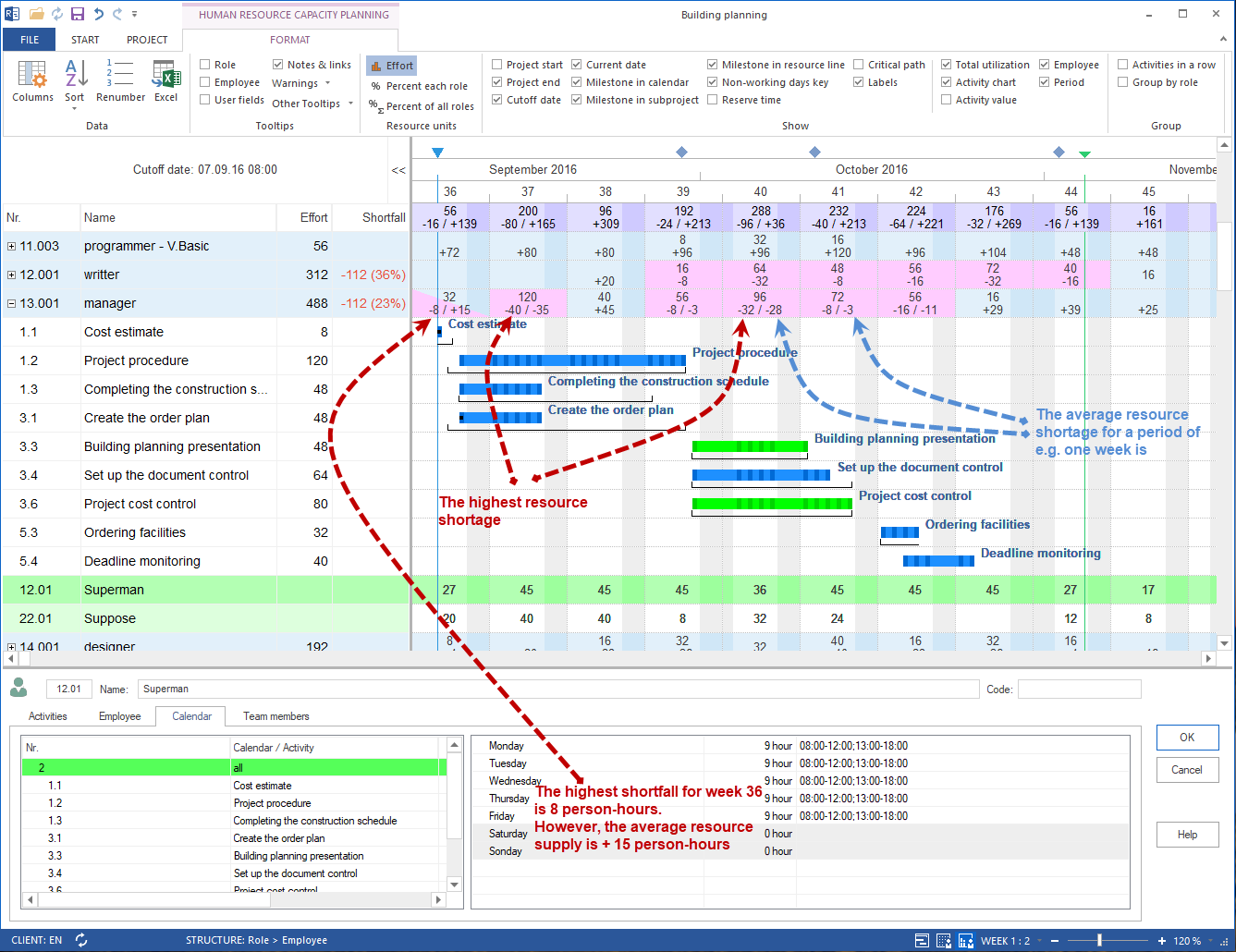
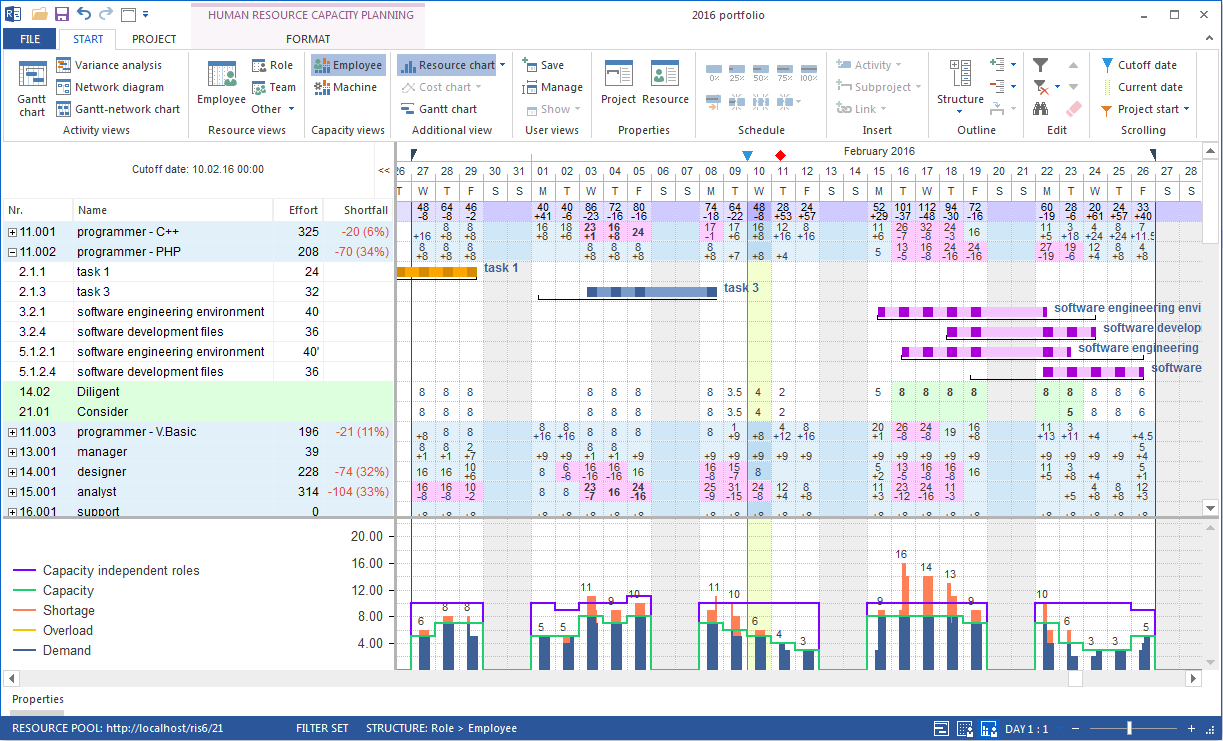
This task-oriented help focuses first on personnel capacity balancing.

Workflow
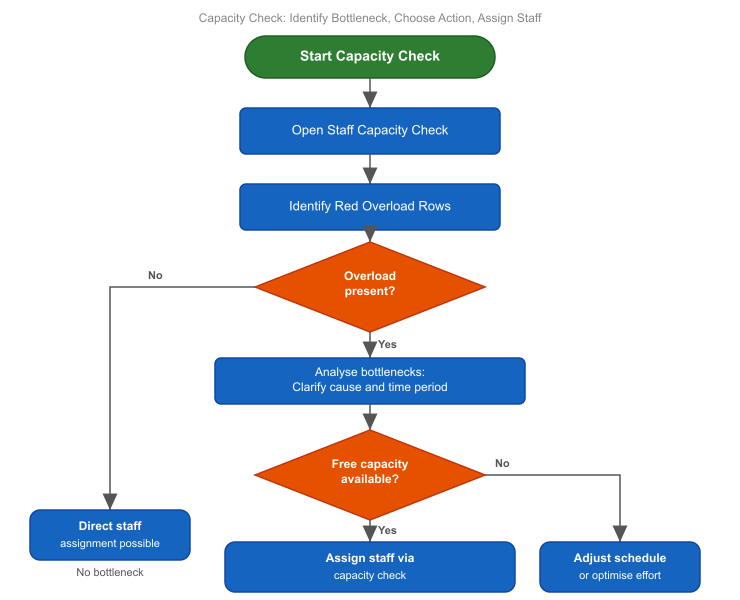
Open the suitable capacity view with Start > Capacity views > Employee for personnel or Start > Capacity views > Machine for machines.
Select the relevant period.
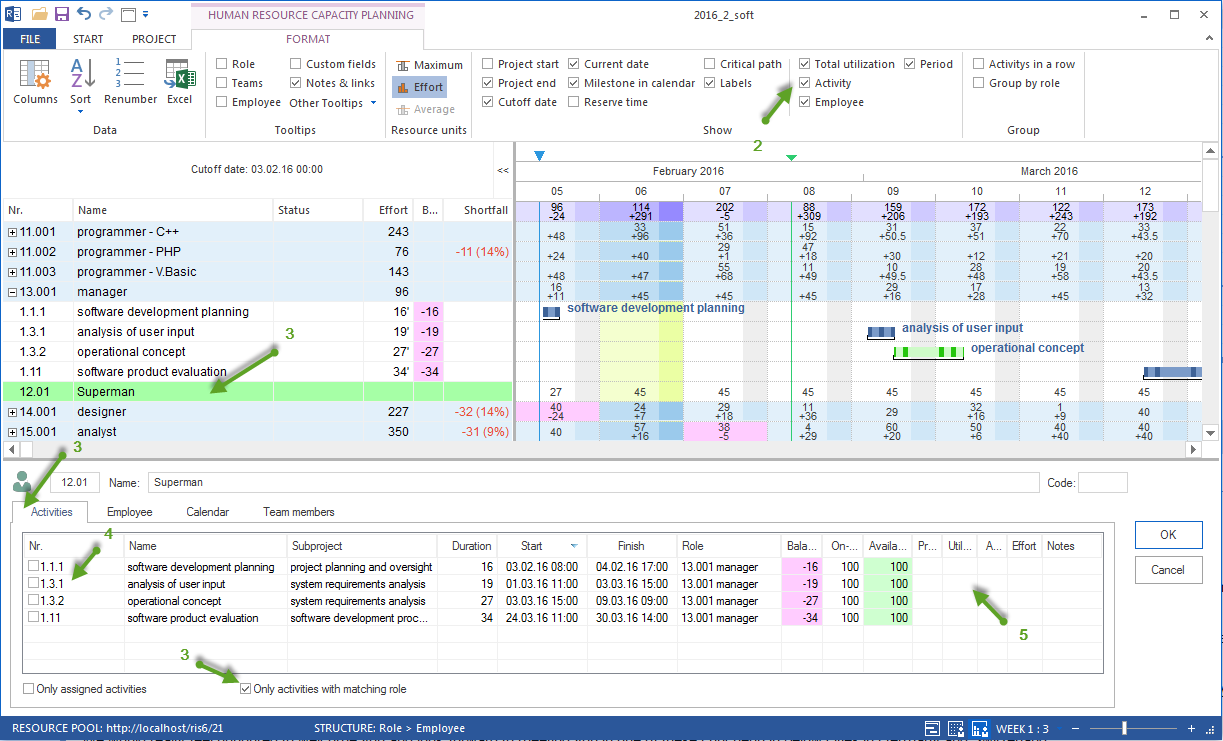
Check demand per professional qualification.
Check available resource supply from the resource pool.
Compare demand and supply.
Mark periods with shortfall.
Check whether the shortfall is caused by working times, non-working days, qualifications, or the schedule.
Decide on the next action.
What to Check
Do not check only individual employees. First check professional capacity.
Important questions:
Are there enough employees with the required professional qualification?
Are those employees available in the planned period?
Do vacation, illness, or other non-working days reduce available capacity?
Do several parallel tasks create demand peaks?
Is the bottleneck qualification-related or schedule-related?
Is a schedule move professionally possible?
Does additional resource demand need to be clarified?
Possible Results
Result |
Meaning |
Next action |
|---|---|---|
Supply is sufficient |
Available working capacity covers demand. |
Assign employees in resource assignment. |
Supply is generally sufficient, but not in the period |
The qualification exists but is not available at the required time. |
Check dates, working times, or priorities. |
Qualification is missing |
No matching employee or role exists in the resource pool. |
Check resource pool or demand. |
Non-working days create a bottleneck |
Employees would be suitable but are absent. |
Check absences, replacement, or schedule move. |
Demand peak creates a bottleneck |
Several tasks create too much demand at the same time. |
Move tasks or clarify priorities. |
Clarify Bottlenecks
When a bottleneck becomes visible, check the cause in this order:
Is resource demand correct?
Is the professional qualification assigned correctly?
Are effort and period plausible?
Is resource supply complete in the resource pool?
Are employees with matching qualifications maintained?
Are working times, calendars, and non-working days correct?
Does the schedule need to be adjusted?
Only then should named employee assignment take place.
Distinction From Resource Assignment
Capacity balancing does not automatically assign the professionally best person finally. It first shows whether matching working capacity is available.
The concrete assignment is then done in Resource Assignment.
There are two paths:
direct employee assignment for small, manageable projects
assignment after capacity balancing for qualification-based planning
Typical Mistakes
Employees are assigned directly although available capacity should be checked first.
Non-working days are not maintained.
Employees have no assigned professional qualification.
Roles are too general or named inconsistently.
Demand peaks are treated as a people problem instead of a schedule problem.
The resource pool is not current.
Check the Result
Capacity balancing is complete when you can answer these questions:
Is resource supply sufficient for resource demand?
Where do bottlenecks arise?
Which professional qualifications are affected?
Which periods are critical?
What is the cause of the bottleneck?
Can resource assignment begin?
Next Steps
If enough capacity is available, assign suitable employees.
capacity balancing, human resource capacity leveling, overload, utilization, uncovered demand, bottleneck, capacity planning, resource manager, project manager