Resources and Capacities
This section explains how Rillsoft Project separates resource demand from resource supply and checks whether enough working capacity is available before named employees are assigned to tasks.
The central idea is:
Resource demand comes from the project plan: tasks, period, effort, and required professional qualifications.
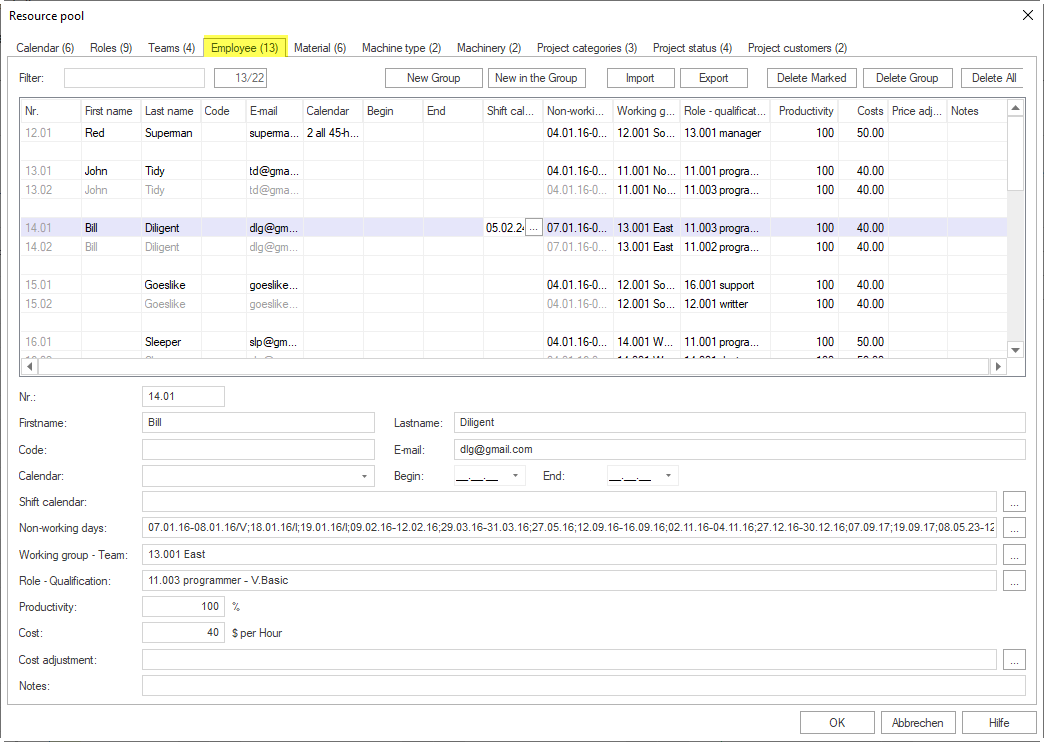
Resource supply comes from the resource pool: employees, professional qualifications, working times, calendars, and non-working days.
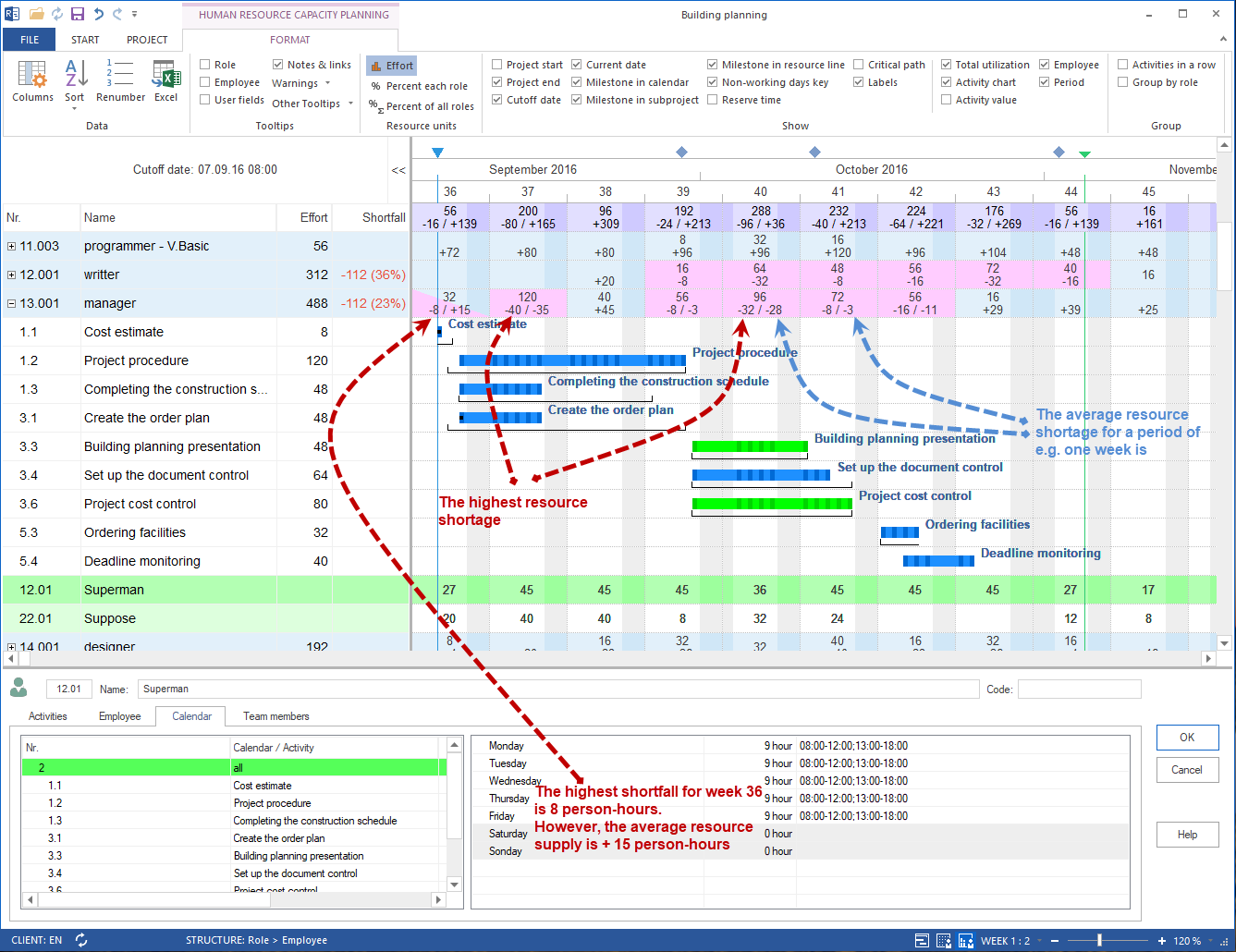
Capacity balancing compares demand and supply and makes bottlenecks visible before employees are assigned.
- Plan Resource Demand by Qualifications
- Derive Resource Supply From the Resource Pool
- Maintain Working Times and Non-Working Days
- Perform Capacity Balancing
- Capacity View Variants
- Resource View Variants
- Group Resource Views
- Create and Select a Resource Pool with Rillsoft Integration Server
- Synchronize Resources
- Update the Resource Pool
When to Use This Section
Use this workflow when:
several employees could perform similar work
professional qualifications matter more than individual names
working times, vacation, illness, or other non-working days must be considered
several projects or subprojects compete for the same capacity
bottlenecks should be identified before resource assignment becomes binding
For small projects with only a few employees, direct employee assignment may be sufficient. That workflow belongs to Resource Assignment.
Basic Principle: Separate Demand and Supply
Rillsoft Project provides functions for entering resources, creating roles, maintaining employees, assigning resources, and using resource and capacity views. In this task-oriented help, those functions are combined into one workflow.
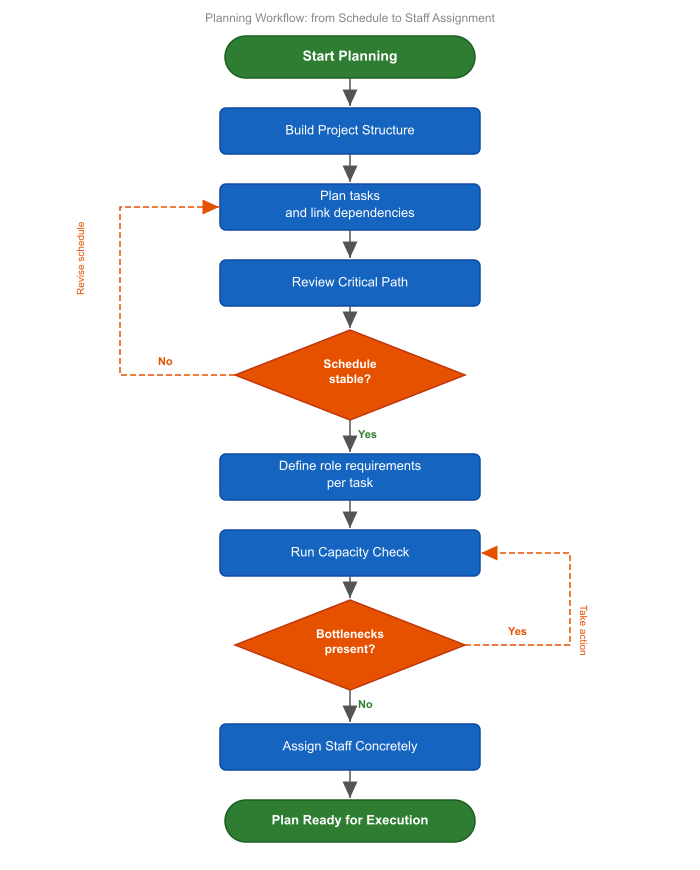
The workflow has four steps:
Plan resource demand
Assign professional qualifications to tasks. This describes what type of work the project needs.
Check resource supply
Check the resource pool to see which employees have those qualifications and when they are available.
Consider working times and non-working days
Check calendars, working-time models, shift calendars, vacation, illness, and other absences. These values determine how much capacity is actually available.
Perform capacity balancing
Compare resource demand with resource supply. This shows whether capacity is sufficient or bottlenecks arise.
Roles as Professional Qualifications
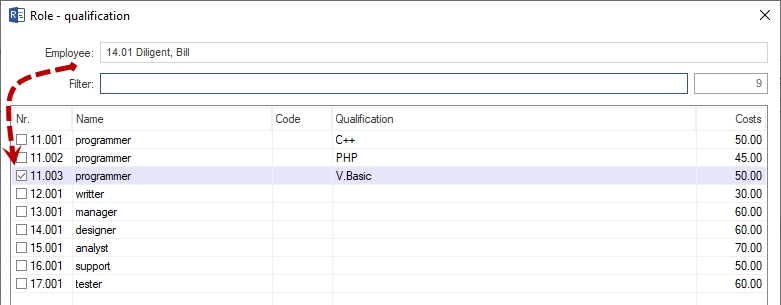
Rillsoft Project uses roles for qualification-based planning. In this help, roles are therefore explained as professional qualifications.
Examples:
Design engineer
Project manager
Welder
Assembler
Foreman
Journeyman
Roles can be organized in groups and maintained with qualification levels, costs, and notes. For resource planning, the important point is that a task first needs a professional qualification, not necessarily a specific employee.
Resource Pool as the Source of Supply
The resource pool is the professional basis for resource supply. It contains, among other things:
calendars
roles or professional qualifications
teams
employees
material
machine types
machinery
Note
Direct team assignment to tasks is available only in the Standard edition of Rillsoft Project. In the Light, Professional, and Enterprise editions, a task receives its team assignment indirectly through assigned employees and their team membership in the resource pool.
For personnel capacity planning, these values are especially important:
professional qualifications of employees
working times and calendars
shift calendars
non-working days
team memberships
productivity
start and leaving date
Capacity Balancing as a Decision Point
Capacity balancing does not first answer which employee should be assigned. It answers the more important question:
Is the available resource supply sufficient for the planned resource demand?
Only after this question has been clarified should named resource assignment be performed for larger or capacity-critical projects.
Group Resource Views
If you need to analyze bottlenecks or available capacity in more detail, group resource and capacity views by several characteristics. This shows not only that an employee is overloaded or a professional qualification is undercovered, but also in which project, role, or team the load occurs.
Typical groupings are:
Employee
Role or professional qualification
Team
Project
Employee by project
Role by employee
Project by role and employee
Grouped views are especially useful when several projects compete for the same employees or when role demand is planned first and assigned to named employees later.
Result of This Section
After resource and capacity planning, you know:
which professional qualifications the project needs
in which period the demand arises
which employees in the resource pool have those qualifications
which working times and non-working days limit availability
whether bottlenecks arise
whether the schedule, resource pool, or later employee assignment must be adjusted
Next Steps
If capacity balancing shows sufficient capacity, switch to resource assignment and assign suitable employees.
resource planning, capacity planning, resource demand, resource supply, resource pool, capacity balancing, utilization, overload, bottleneck, resource manager, project manager