Why Are Tasks Not Rescheduled After Plan Changes?
Successors do not move after a plan change if the task is manually scheduled, if dependencies between predecessor and successor are missing, or if the successor is fixed. First check on the General tab of the task properties whether Schedule manually is enabled, and check in the network diagram whether the tasks are linked.
Symptom
A task was moved or extended, but dependent successors do not move with it.
Cause 1: Successor activities are not shifted backward
Successor tasks are not automatically shifted backward when changes are made to predecessor tasks.
Check:
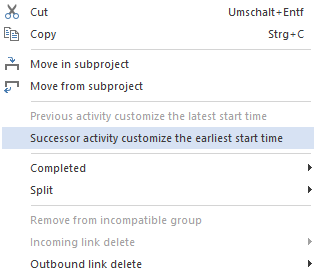
Whether successor tasks should be adjusted to the earliest possible start date.
Solution:
Open the context menu of the predecessor task.
Select Adjust successor tasks to the earliest possible start date.
Cause 2: Dependencies Are Missing
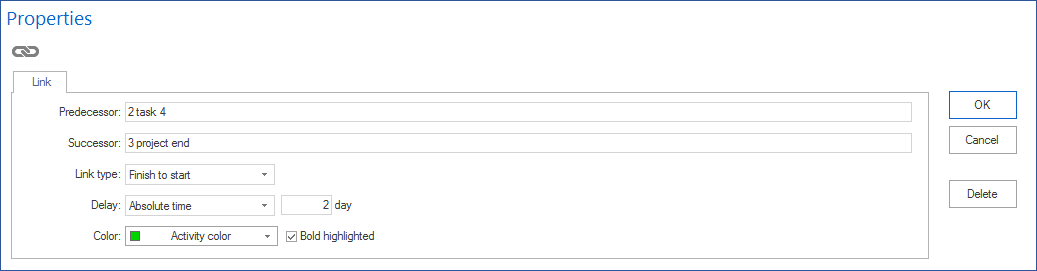
Without a dependency, there is no technical relationship. The successor does not know that it should react to the predecessor.
Check:
Open the network diagram view and check whether a connection exists between predecessor and successor.
Solution:
Add the missing dependencies.
Cause 3: Successor Is Fixed
A fixed task remains on its set date even if the predecessor moves.
Check:
Open the task properties of the successor and check Fix date.
Solution:
Disable the fixed date or adjust the fixed date deliberately by hand.