Portfolio Analysis
Portfolio analysis is used to evaluate all running projects together. It answers questions such as: Which projects are on track? Where do resource bottlenecks arise? Which projects endanger other projects because of their dates or resource situation?
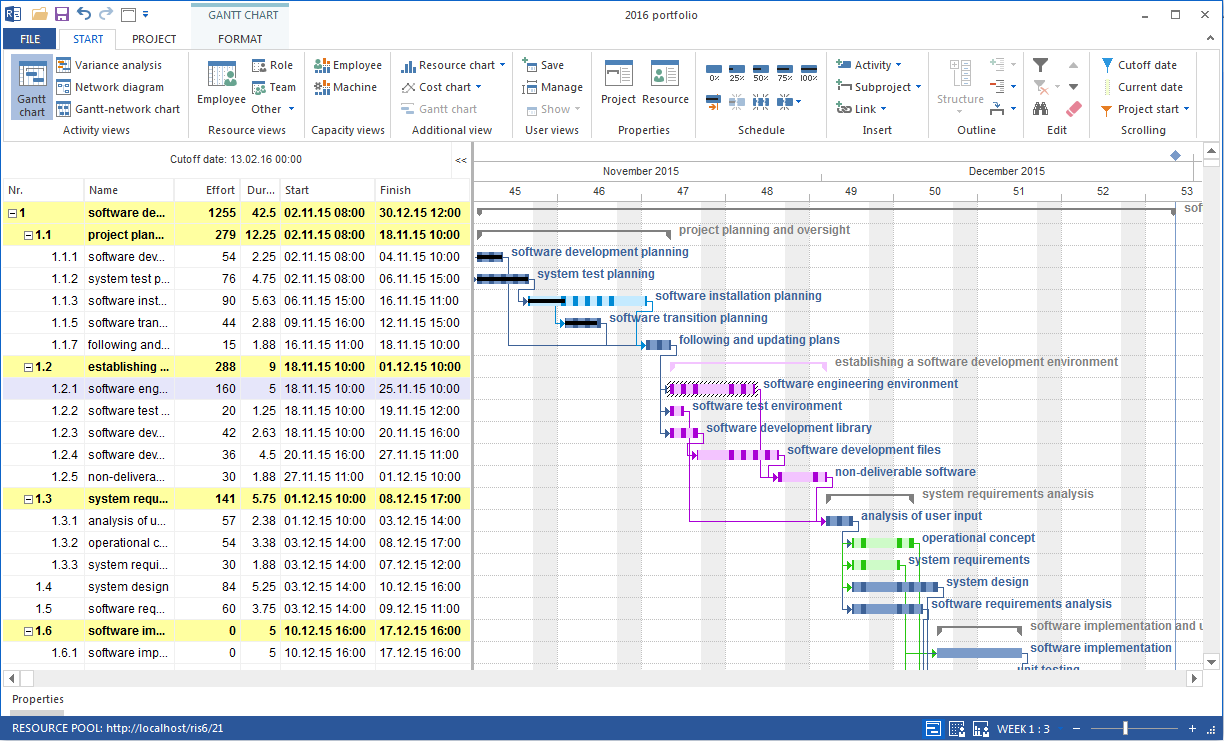
Perform Portfolio Analysis
Goal: Get a reliable overview of status, priority, schedule position, and resource situation for all projects.
Workflow:
Open the portfolio.
Click Start > Properties > Info.
Open the Portfolio dashboard tab.
Check projects with category, status, priority, customer, start, and finish.
If required, use Selected portfolio to choose another portfolio for the overview.
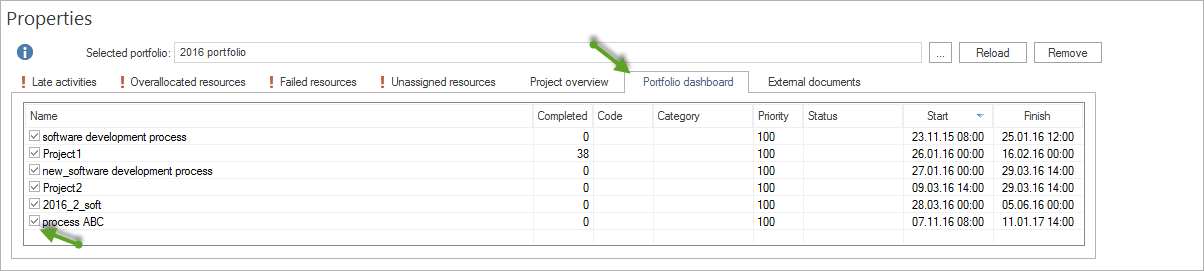
In the portfolio dashboard, you can control which projects are included in capacity calculation. Active projects are considered. Deactivated projects are hidden and are not included in resource availability calculation.
This is useful for simulations. Example: Temporarily hide a project and check how the resource situation changes without it.
Compare Projects
Do not compare projects only by finish date. Portfolio decisions need several perspectives.
Perspective |
Question |
Suitable view |
|---|---|---|
Status |
Which projects are planned, active, paused, or completed? |
Portfolio dashboard, filters in the Gantt chart |
Priority |
Which projects should be preferred when bottlenecks occur? |
Project sorting by priority |
Dates |
Which projects overlap critically? |
Gantt chart, critical path, late tasks |
Employees |
Which employees are overloaded across projects? |
Human Resource Capacity Balancing, project-specific employee utilization |
Roles |
Which professional qualifications are missing across several projects? |
Project-specific role utilization |
Identify Bottleneck Projects
A bottleneck project is a project that blocks other projects because of its schedule or resource demand, or that can trigger a chain reaction in the portfolio if delayed.
Signs of a bottleneck project:
The project uses a high share of a scarce professional qualification in specific periods.
Finish dates are close to start dates of downstream projects.
The project contains late tasks on the critical path.
The project causes overload for key employees.
Cross-project dependencies show little or negative link distance.
Workflow:
Open the individual project or check it in the portfolio.
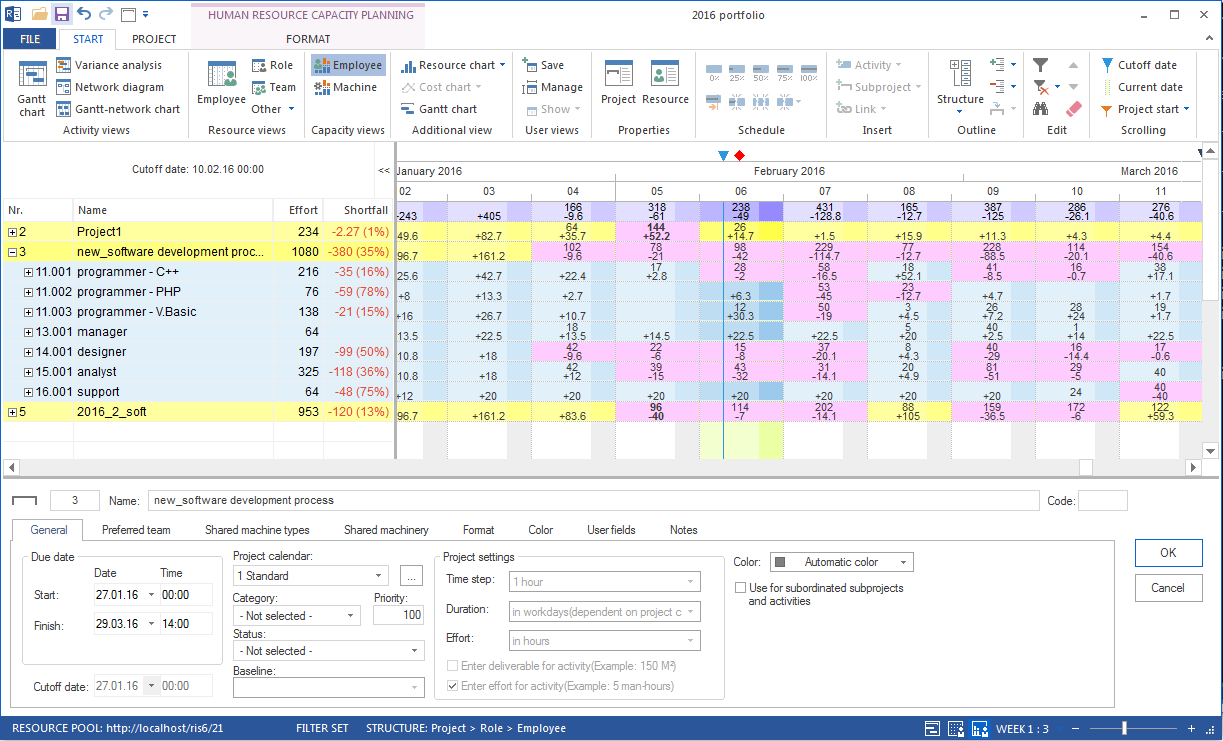
In Human Resource Capacity Balancing, check which roles or qualifications are undercovered in critical phases.
Open Start > Properties > Info > Late activities.
Analyze the critical path.
Check whether bottleneck resources are involved in critical tasks.
Decide whether resources must be redistributed, dates moved, or priorities changed.
Derive Risks From Schedule and Resource Situation
Portfolio risks often arise from the combination of schedule situation and resource situation.
- Schedule risks
Projects with late tasks on the critical path are especially critical. Each further delay can move the project finish date and affect downstream projects.
- Resource risks
Projects with few key employees or rare professional qualifications are vulnerable to absence, vacation, illness, or parallel load from other projects.
- Dependency risks
Cross-project dependencies can make a delay in one project directly affect another project.
- Priority risks
If priorities are not maintained, resource decisions become unclear. Projects then compete for the same employees without a reliable decision rule.
Prepare Decision Basis for Management and PMO
Portfolio analysis should not only collect information. It should prepare decisions.
For a portfolio status report, these items are especially relevant:
portfolio dashboard with status, priority, and finish date of all projects
list of late projects
projects with resource bottlenecks
critical professional qualifications
cross-project dependencies with little link distance
simulations, for example the effect of pausing a project or changing priority
For resource decisions, these items are especially relevant:
Human Resource Capacity Balancing across all projects
project-specific employee utilization
role utilization for critical qualifications
priority of affected projects
effect on finish dates and downstream projects
Export and Further Processing
Portfolio evaluations can be processed for external reports. Use export functions when results are needed in Office documents, presentations, or coordination material.
Typical export targets:
Microsoft Excel for tables and evaluations
XML if data should be processed in other project management systems
PDF or print output for static reports
Typical Mistakes
Portfolio analysis is understood only as a schedule overview.
Resource bottlenecks are not connected with project priorities.
Individual projects are evaluated without checking cross-project dependencies.
Simulations are not documented.
Status reports list risks but no decision recommendation.