Integration Server
Rillsoft Integration Server is the central operating layer for organisations that use Rillsoft Project beyond isolated local project files. It provides a central project database, multi-user operation, a shared resource pool, permissions, web access, time recording, vacation planning, and document management.
Use the Integration Server when project planning becomes an organisational process: several planners need the same resource base, project files must not circulate uncontrolled, portfolio decisions require current data, or employees report progress and absences through web functions.
Operating Models
Rillsoft Project can be used in three operating models:
Criterion |
Standalone files |
Integration Server |
Rillsoft Cloud |
|---|---|---|---|
Data storage |
Local project files |
Central on-premise database |
Hosted server environment |
Typical team size |
One planner or small teams |
Several planners and departments |
Distributed teams without own server operation |
Shared resource pool |
Manual synchronisation |
Central and controlled |
Central and controlled |
Multi-user operation |
Not available |
Available with locking and permissions |
Available with locking and permissions |
Web functions |
Not available |
Available on own infrastructure |
Available as hosted service |
IT responsibility |
Local backup and file handling |
Installation, database, backup, updates |
Mainly access and user administration |
Standalone operation is sufficient when one planner owns the project data and no central rights or web functions are required. Integration Server is the preferred model when data sovereignty, central administration, DMS, and multi-user planning are required on the organisation’s own infrastructure. Rillsoft Cloud follows the same planning logic but removes the need to operate the server infrastructure internally.
Core Concepts
- Client
The organisational base unit. A client has its own resource pool, directory structure, users, permissions, and projects.
- Resource pool
The central source for employees, roles, teams, calendars, machines, and other shared resources. In multi-project planning, a reliable resource pool is the basis for meaningful capacity balancing.
- Directory
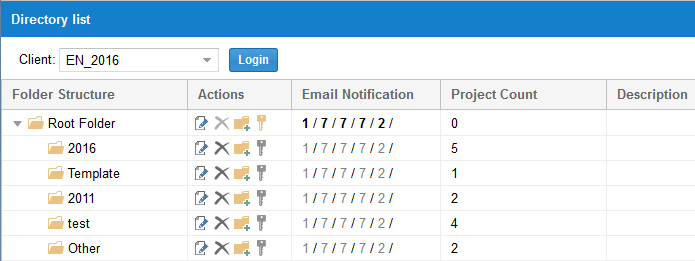
A virtual structure for organising projects and portfolios. Directories can reflect departments, sites, project types, customers, phases, or PMO responsibilities.
- User role
Defines what a user may generally do in the system, for example read the resource pool, edit documents, or administer users.
- Directory role
Defines access to projects and documents inside a directory structure.
Why The Server Changes Planning
With local files, a project plan is often treated as the property of one planner. With Integration Server, project planning becomes shared data:
resource demand from several projects is evaluated against the same resource supply
project managers can work with controlled access instead of exchanging files
project versions can be recovered when required
DMS documents can be assigned to projects, subprojects, and activities
project portfolios and summary projects can use current server data
several project managers can plan related projects together in summary projects, see Planning as a Team: Multi-User Work and Summary Projects
time recording, vacation, and progress data can flow into project controlling
This is especially relevant for Rillsoft Project’s strength: capacity planning based on professional qualifications before concrete employee assignment. Central data makes bottlenecks, overloads, and cross-project dependencies visible earlier.
Typical Decision Points
Choose Integration Server when:
several active projects compete for the same employees, roles, or machines
project managers need controlled access to shared project data
PMO or management need portfolio views based on current data
document management, project versions, or server-side permissions are required
employees need web access for time recording, vacation, or progress feedback
Keep standalone operation when:
one project manager plans a small number of projects independently
there is no requirement for shared resource data
local file handling is sufficient and controlled
no web modules or DMS processes are needed
Implementation Risks
The most common mistake is to install the server before the planning model is clear. Define these items before migrating active projects:
client structure
directory structure
user and directory roles
owner of the central resource pool
rules for project versions and commit comments
DMS folder structure and document responsibilities
migration path for local project files