Link Tasks
Dependencies describe logical relationships between tasks. They turn a list of tasks into a calculable schedule. Without dependencies, dates cannot be updated automatically when something changes.
Dependency Types
Rillsoft Project supports four dependency types and one special form:
Dependency type |
Logic |
Typical use |
|---|---|---|
Finish-Start (FS) |
The successor starts when the predecessor finishes. |
Standard case in almost every schedule. |
Start-Start (SS) |
The successor does not start earlier than the predecessor. |
Parallel work that should start together. |
Finish-Finish (FF) |
The successor does not finish before the predecessor. |
Parallel work that should be completed together. |
Start-Finish (SF) |
The successor does not finish before the predecessor starts. |
Rarely used; for example just-in-time scenarios. |
Incompatible activity group |
The linked tasks must not run at the same time. |
Resources that can be used only once (a machine, a room). |
Finish-Start covers most project dependencies. Use other types only when the professional logic requires them.
Create a Dependency
In the Gantt chart:
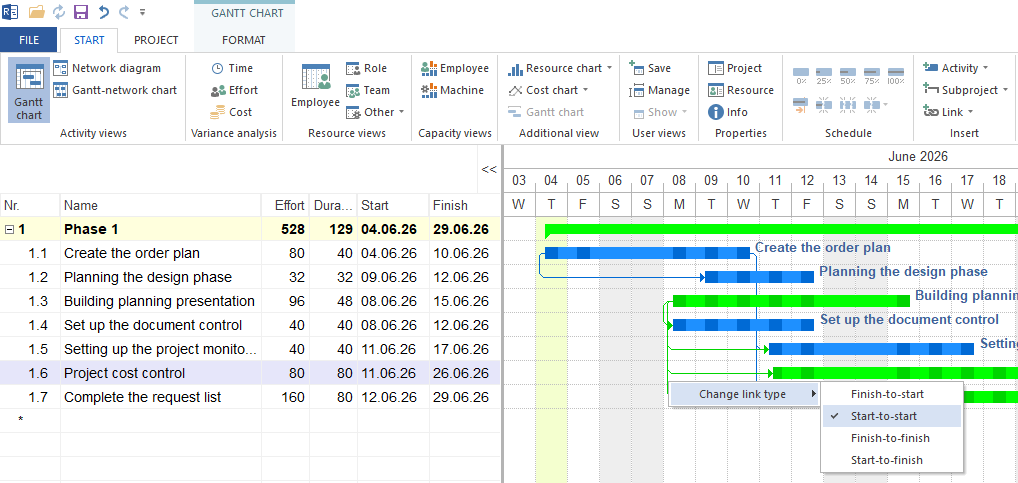
Choose the dependency type with Start > Insert > Link.
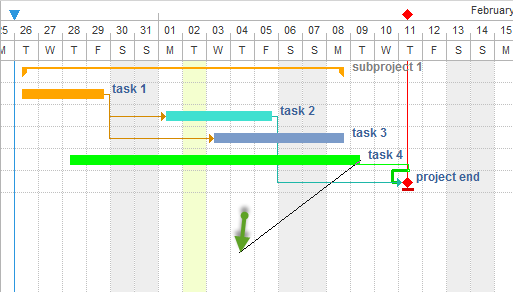
Move the mouse pointer over the end of the predecessor bar until an arrow symbol appears.
Drag the arrow onto the start of the successor bar.
Release — the dependency is created.
In the task and subproject table:
Right-click the column header area of the table and choose the column layout from the context menu.
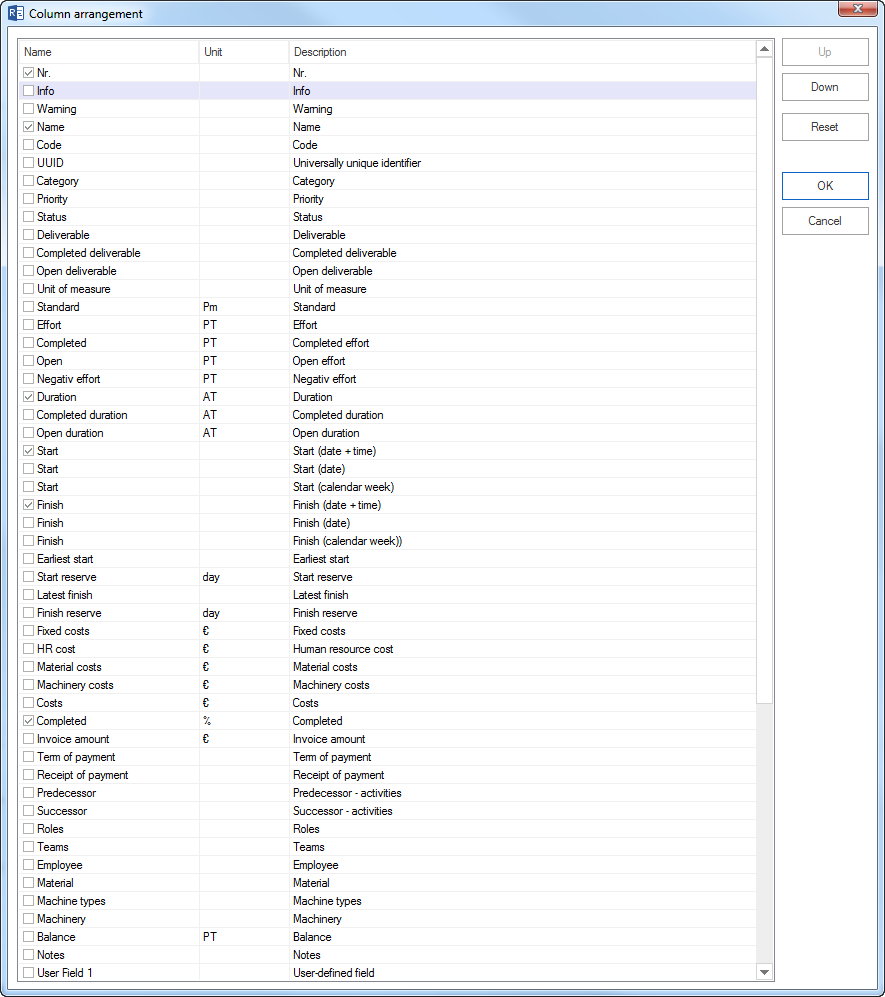
Enable the columns Predecessor and Successor and confirm with OK.
Enter the task number of the predecessor or successor in the Predecessor or Successor column.
Intervals
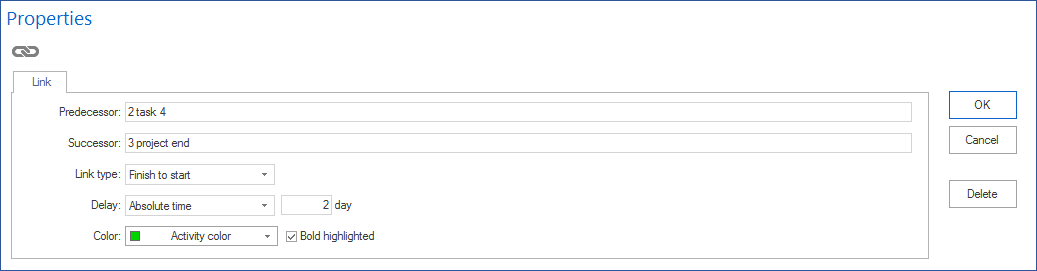
Every dependency can carry a time interval:
Positive interval: waiting time between predecessor and successor. Example: let concrete cure — 3 days after the end of the task “Pour concrete”.
Negative interval: overlap — the successor starts before the predecessor finishes. Example: documentation starts 5 days before development is completed.
Intervals can be entered in working days, calendar days, or as a percentage of the predecessor duration.
Beware of too many intervals: Every interval is an additional manual assumption. The more intervals a plan contains, the harder it is to read and check. Use intervals only for real waiting times or overlaps.
Edit and Delete Dependencies
Edit:
Double-click the dependency line in the Gantt chart to open the dependency properties window.
Alternatively, use the Links tab in the task properties.
Delete:
Click the dependency line and press Del.
Or select the entry on the Links tab and choose Delete.
Check Dependencies
Check dependencies regularly, especially when:
dates move unexpectedly
the critical path behaves inexplicably
new tasks have been added
a task was removed or merged
Typical check questions:
Is the dependency type professionally correct? (Should it be FS instead of SS?)
Are there unnecessary dependencies that reduce flexibility?
Are there missing dependencies that make the project risky?
Are there cycles (A -> B -> C -> A)?
Cycles in the dependency logic make the plan incalculable. Rillsoft Project marks cyclic dependencies as errors.
Cross-Project Dependencies
Dependencies between tasks from different projects are possible with Rillsoft Integration Server. They model date dependencies across project boundaries.
More: Multiproject Planning
Related Topics
dependency, predecessor, successor, lead, lag, finish start, start start, finish finish, incompatible activity group, schedule, gantt, bar chart, timeline, critical path, project manager