Troubleshooting and Decision Support
Use this section when a project behaves differently than expected. Each article starts with the visible symptom, explains the most likely causes, and then gives concrete checks and corrective actions.
- Why Does My Project Date Shift?
- Why Is a Task Not Movable?
- Why Does a Resource Show Overload?
- Why Do Target and Actual Values Not Match?
- Why Does a Project Not Appear in the Portfolio?
- Why Are Unassigned Resources Shown?
- Why Are There Partially Assigned Resources?
- Why Are Tasks Not Rescheduled After Plan Changes?
- Decision Guides
- Checklists
Typical Planning Problems
Use this section when:
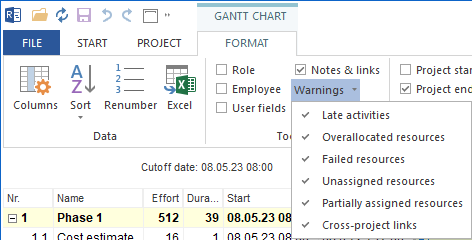
the project finish date shifts unexpectedly
tasks cannot be moved
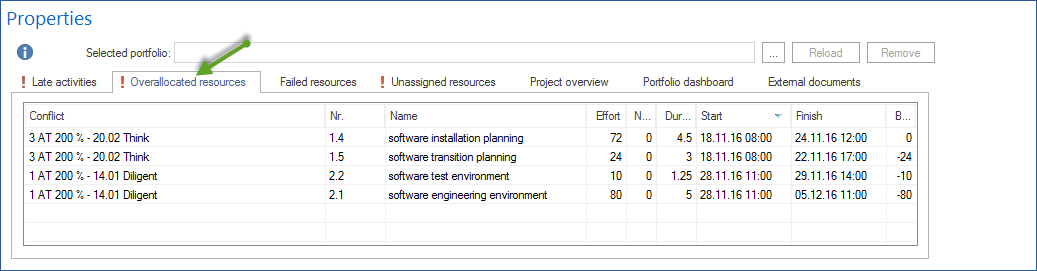
employees are overloaded or role demand is not covered
target and actual values do not match the expected project status
projects are missing from the portfolio or are not considered correctly
role demand is not yet covered by named employees
tasks are not recalculated after a plan change
Recommended Approach
For planning problems, proceed in this order:
Describe the symptom precisely.
Check the affected view or task.
Check scheduling logic, dependencies, and fixed dates.
Check resources, calendars, and assignments.
Check the portfolio or summary-project context if several projects are involved.
Change the plan only after the cause is clear.
Related Sections
More Help
troubleshooting, problem solving, overload, date shift, missing project, partial assignment, target actual comparison, baseline, progress, reporting date, deviation, project manager, resource manager, pmo