DMS
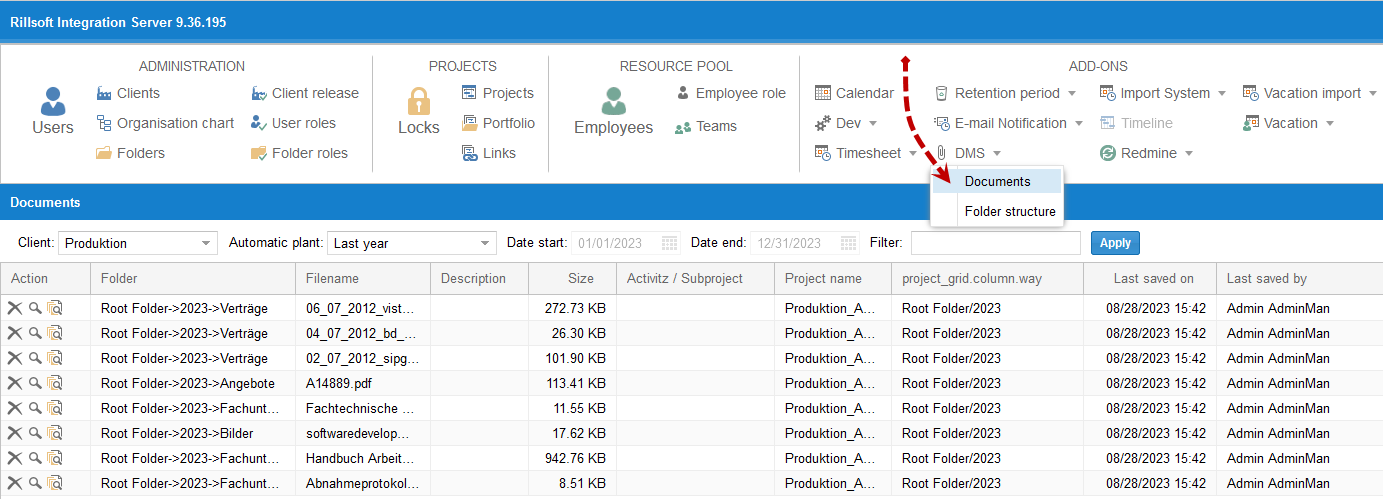
DMS means document management in the context of Rillsoft Integration Server. It allows project-related documents to be stored centrally, versioned, and controlled by permissions.
DMS is available in the database-based Rillsoft solution with Rillsoft Integration Server or Rillsoft Cloud. It is useful when documents are part of project steering, approvals, progress reporting, or portfolio decisions.
When DMS Is Useful
Use DMS when:
project documents must be centrally available
several roles work with the same project documents
documents should be organised by project, activity, or directory
access must be controlled by user and directory roles
offers, drawings, status reports, approvals, or import/export files belong to project decisions
Typical Document Types
project order
offers and contracts
technical drawings
status reports
meeting minutes
approval documents
import and export files
decision records for portfolio reviews
DMS In Rillsoft Project
Documents can be assigned to projects and activities from Rillsoft Project.
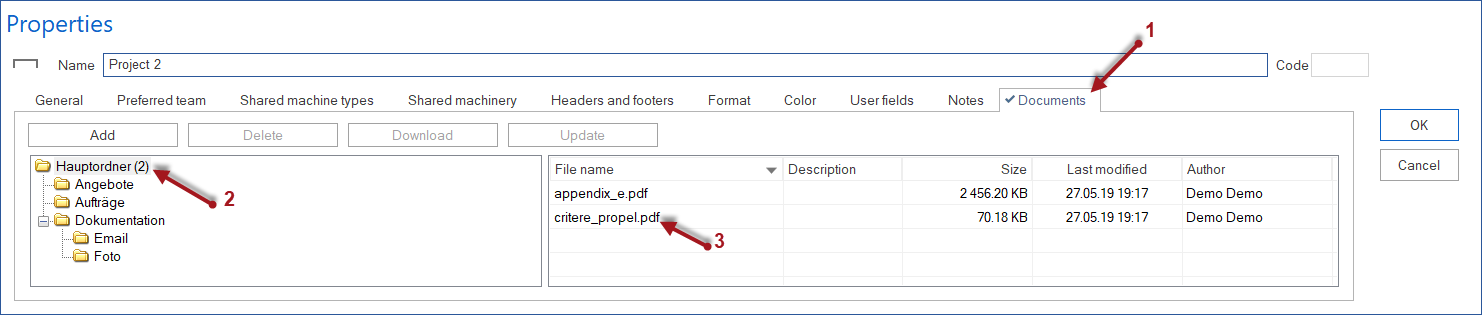
Project documents can also be managed through the Rillsoft Integration Server document dialog.

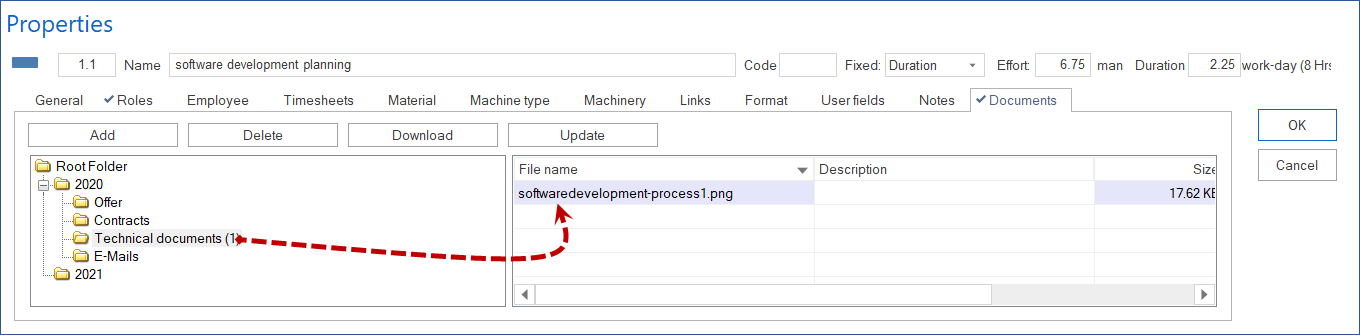
For activity-level documents, use the Documents tab in the activity properties.
Implementation Principles
Align the document structure with the project or directory structure.
Define read, create, update, delete, and restore rights before rollout.
Name responsible owners for maintenance, approval, and archiving.
Define document naming rules.
Use DMS for project-related documents, not as a general file dump.
Decide how document versions should be reviewed and restored.
Folder Structure
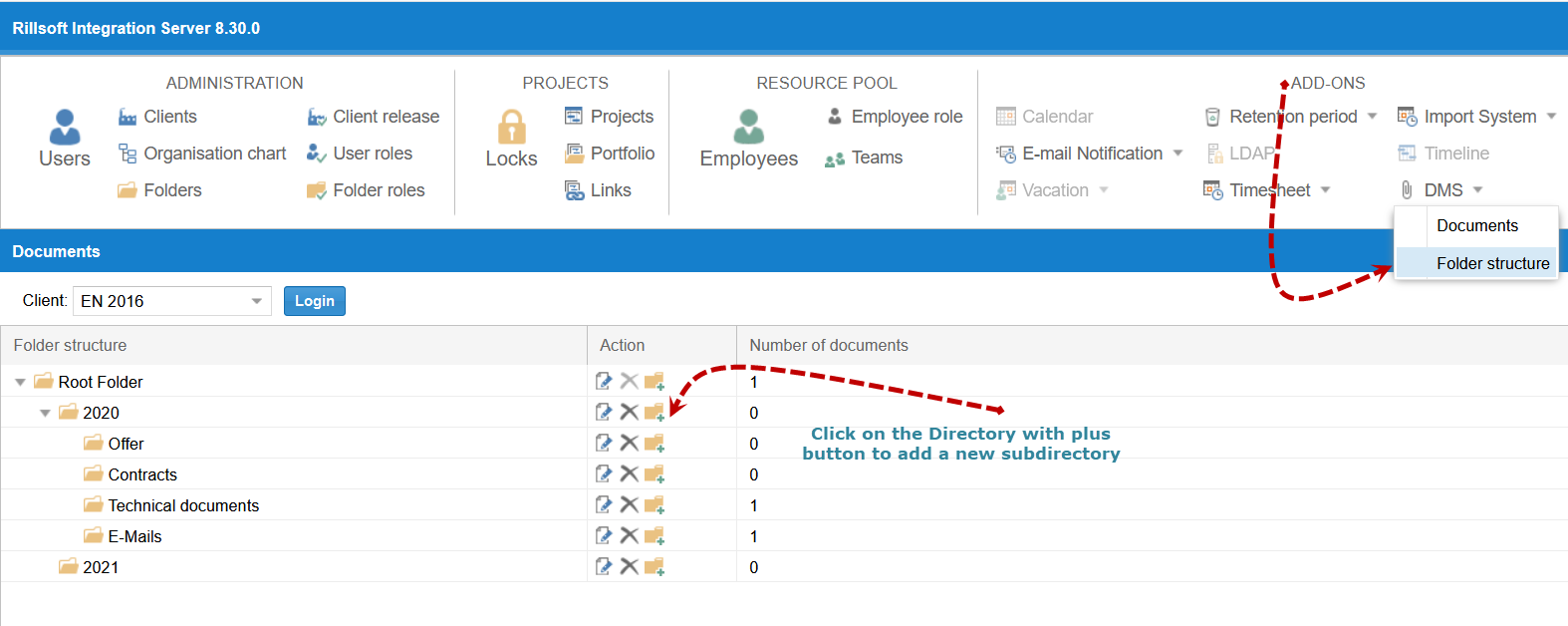
The DMS folder structure is managed in Rillsoft Integration Server and applies to the client. A clear structure reduces duplicate filing and permission errors.
Examples:
contract documents
planning documents
drawings
approvals
status reports
import and export files
archived decision documents
DMS And Project Control
DMS becomes especially useful when documents are connected with decisions:
baseline approval
status report
portfolio decision
change approval
resource decision
external customer approval
Typical Mistakes
DMS is introduced without a permission concept.
Documents are stored both locally and on the server.
Project directories and DMS folders do not match.
Status reports are filed without date, cutoff date, or project version context.
DMS rights are broader than project access rights.