Integration Server
Rillsoft Integration Server extends Rillsoft Project with central data storage, multi-user operation, user and permission management, portfolios, resource pool management, and additional modules.
Operating Role
Integration Server is relevant when projects, resource pools, and portfolios must be managed centrally. It supports on-premise operation and is the basis for server-based workflows.
Important Areas
user management
user roles
clients
client access
folders
folder roles
resource pool
project portfolio
cross-project links
iCalendar
vacation planning
time recording
DMS
LDAP and email integration
User And Folder Roles
Rillsoft Integration Server uses two types of roles. They control different parts of access management:
User roles are independent of folders. They control access to user management, portfolio work, the resource pool, DMS, iCalendar, Timeline, and vacation planning.
Folder roles depend on client and folder. They control access to folders, projects, timesheets, email notifications, and project-related API access.
In addition, a user must have access to the relevant client. Without client access, the user cannot open or edit resource pools or projects of that client in Rillsoft Project.
User Roles
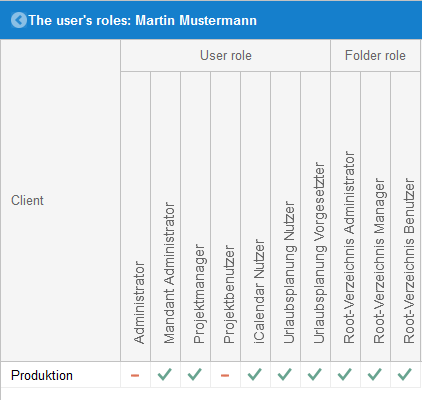
User roles are managed under Administration > User roles. They are not tied to a specific folder.
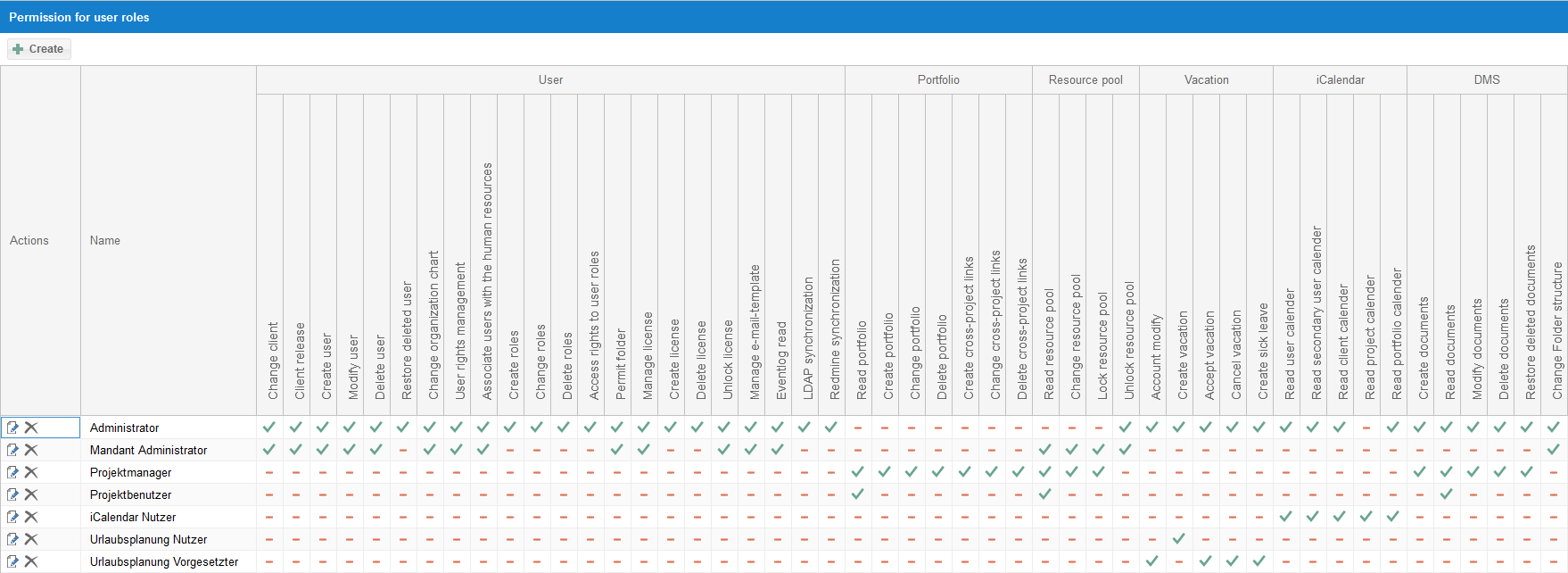
Predefined user roles can include Administrator, Client Administrator, Project manager, Project user, iCalendar user, Vacation planning-user, and Vacation planning supervisor.
For working with Rillsoft Project, the minimum required right at user-role level is Read resource pool. Other user-role rights can include Change resource pool, Read portfolio, Create portfolio, and permissions for DMS, iCalendar, Timeline, and vacation planning.
Folder Roles
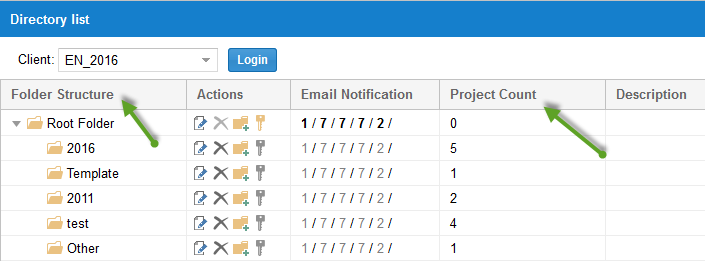
Folder roles are managed under Administration > Folder roles. They depend on client and folder.
The project landscape of a client is structured through folders. Folder roles define which folders and therefore which projects a user can work with, and which actions are permitted there.
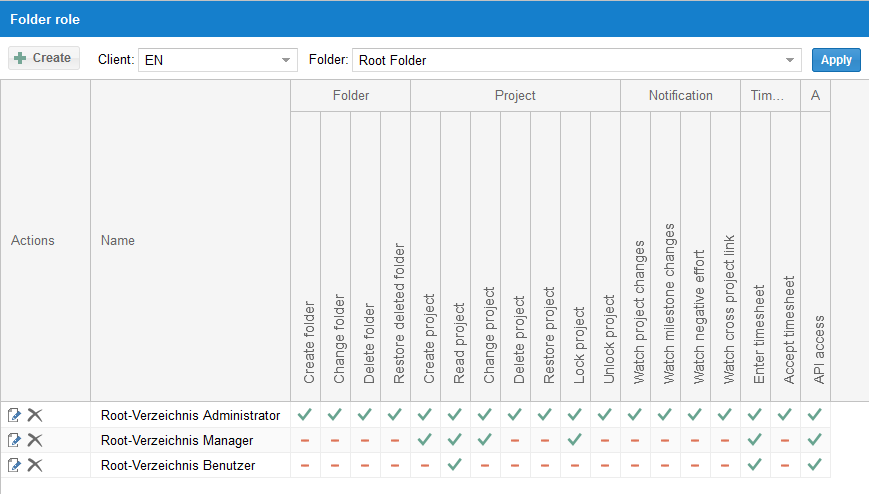
Typical folder-role rights include:
create, change, delete, and restore folders
create, read, change, delete, restore, lock, and unlock projects
watch project changes, milestone changes, negative effort, and cross-project links
enter and accept timesheets
API access to project-related Integration Server modules in the browser
Root folder access rights are also valid for subfolders if no different rights are defined there.
Classify Rights For Rillsoft Project
For project work through Integration Server, a user role alone is not enough. A user usually needs:
client access for the relevant client,
suitable user roles for folder-independent functions such as resource pool, portfolio, or additional modules,
suitable folder roles for the concrete folders and projects.
Example: A user can use portfolios and the resource pool through the Project manager user role. Whether the same user can read, change, or lock a specific project is additionally controlled by the folder role in the respective folder.
Cross-Project Functions
Some functions, for example cross-project links, are available in server operation and are not available in pure standalone operation with local files.