Project Manager
Project managers plan, control, and evaluate individual projects. Their goal is a reliable project plan that makes dates, tasks, resource demand, progress, and deviations understandable.
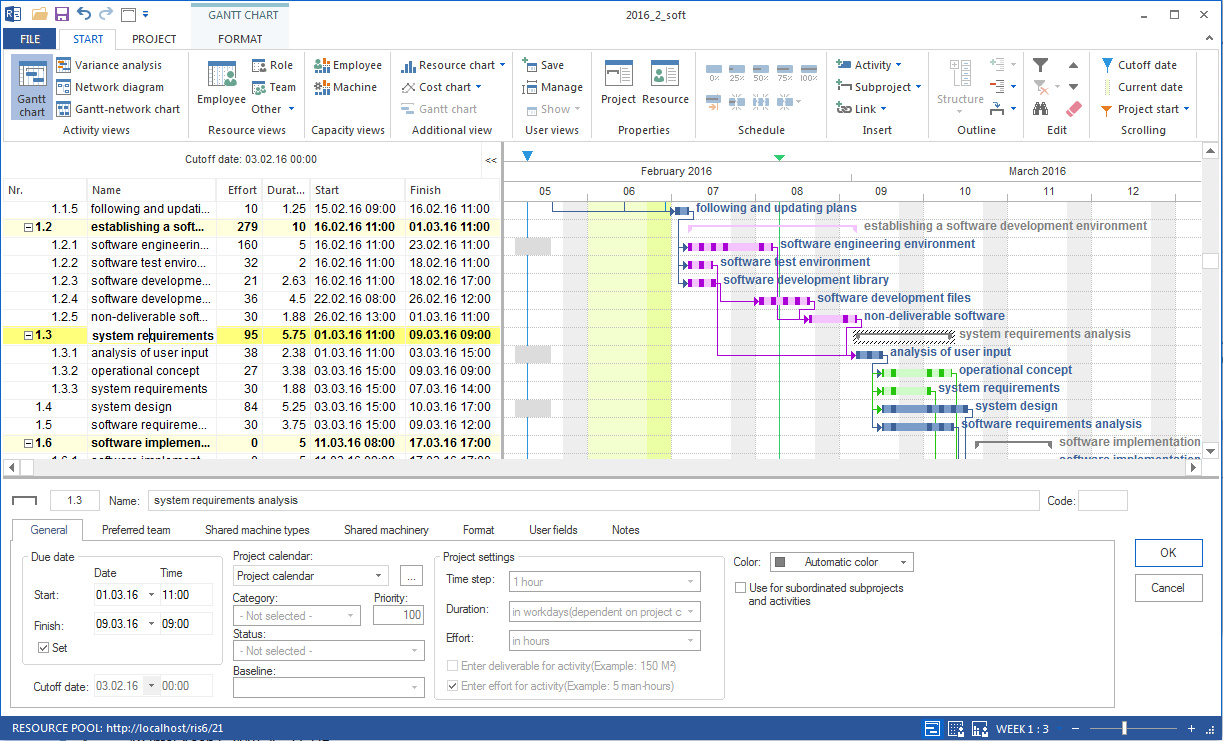
In Rillsoft Project, project managers mainly work with the Gantt chart, tasks, subprojects, dependencies, resource demand, employee assignment, baselines, and target/actual comparison.
Typical Tasks
build the project structure
plan and link tasks
evaluate critical path and float
clarify resource demand by professional qualification
assign employees directly or after capacity balancing
record progress
evaluate target/actual comparison
prepare a status report
Working Path for Project Managers
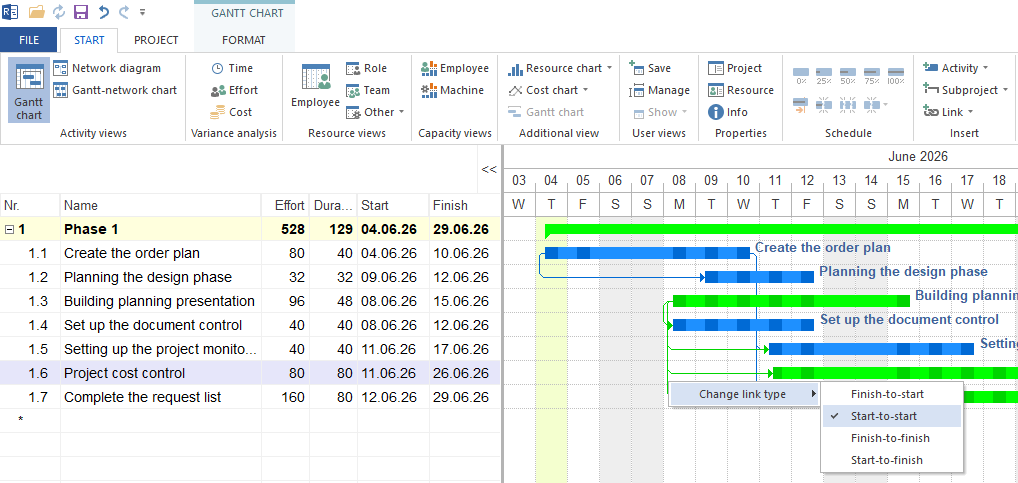
Build the project plan
Start with project structure, subprojects, tasks, milestones, and dependencies. A project can only be controlled reliably when the scheduling logic is technically correct.
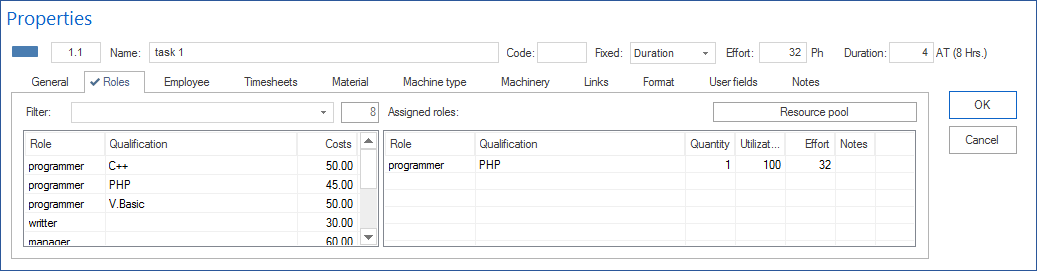
Clarify resource demand
First plan which professional qualifications are needed. This prevents individual employees from being committed too early.
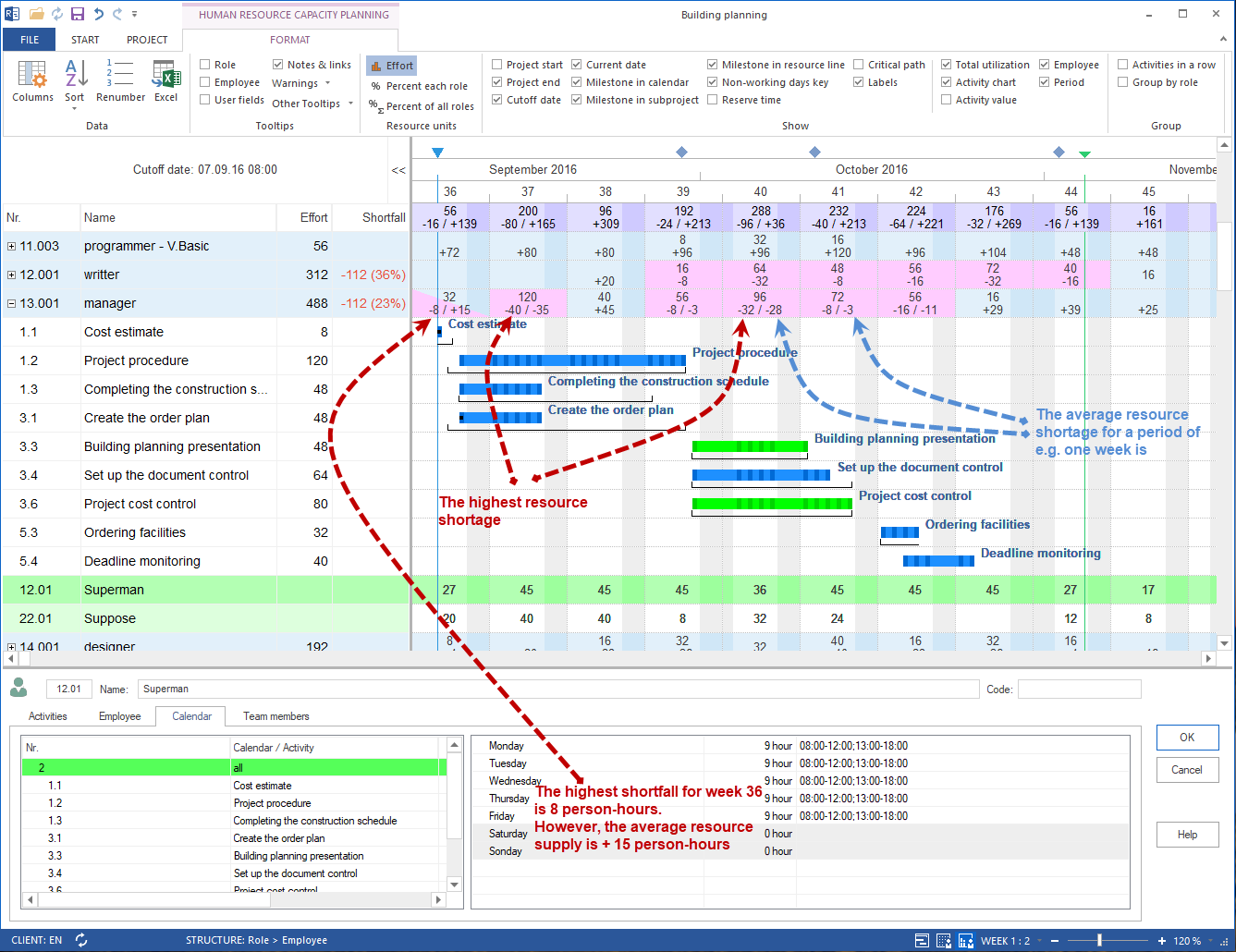
Check capacity
Check whether the resource supply from the resource pool matches the planned demand. For larger projects or scarce employees, perform capacity balancing before binding assignment.
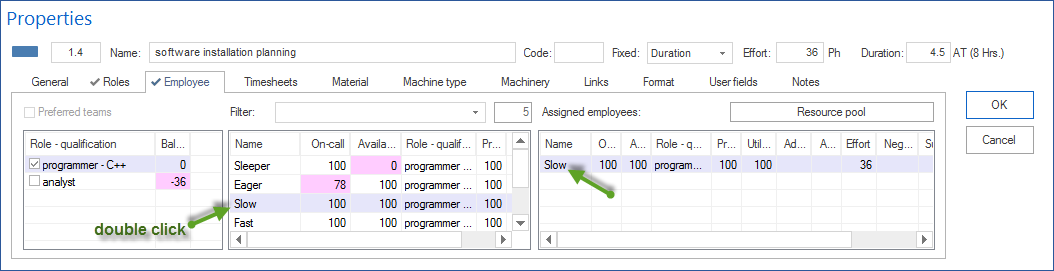
Assign employees
Assign employees directly when team and project are manageable. Use assignment after capacity balancing when several employees, working times, absences, or several projects are relevant.
Control progress
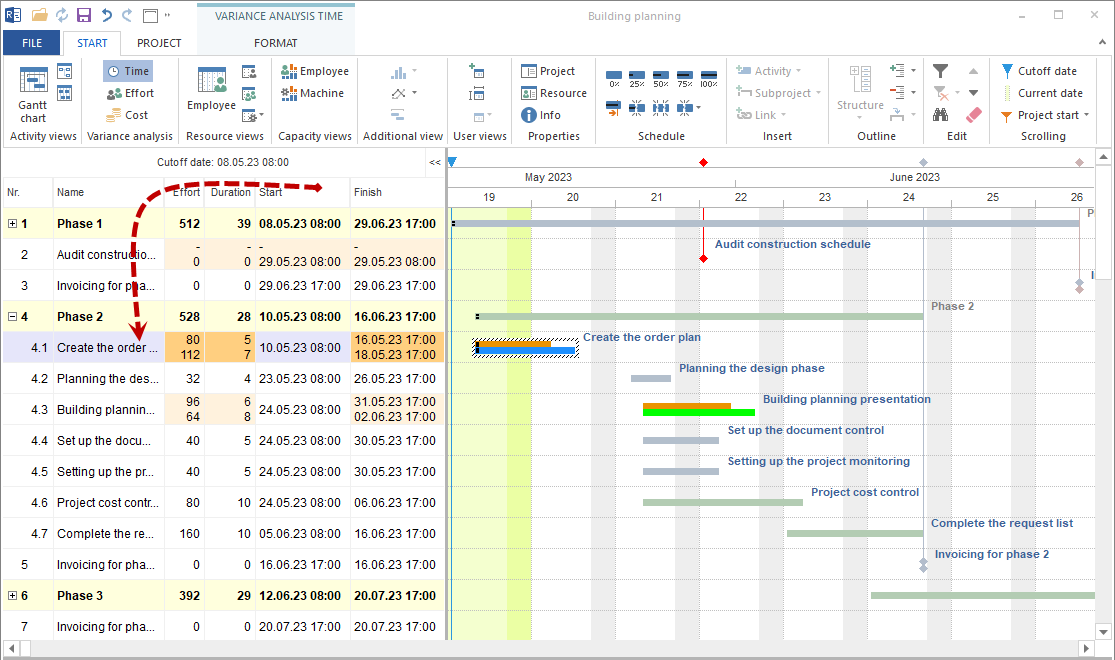
Save a baseline, record progress, and check deviations with target/actual comparison.
Important Views
Gantt chart for schedule, tasks, and dependencies
network diagram for logical dependencies
employee capacity balancing for bottlenecks and free capacity
employee view for concrete employee assignment
target/actual comparison for schedule, effort, and cost deviations
project information for late activities, overloaded resources, and unassigned resources
Decisions
Situation |
Decision |
|---|---|
Project is new or unstructured |
Stabilize project structure and scheduling logic first. |
Demand is clear, employees are not yet fixed |
Plan roles or professional qualifications. |
Employees are scarce |
Perform capacity balancing before binding assignment. |
Project is already running |
Use baseline, progress, and target/actual comparison. |
Finish date is at risk |
Check critical path, resources, and deviations together. |