Evaluate Plan Deviations
Not every deviation requires replanning. The decisive question is whether the deviation changes the project finish date, resource situation, costs, or the decision basis for the portfolio.
Do not evaluate deviations in isolation. A schedule deviation can be caused by missing capacity. A cost deviation can follow from higher effort. A resource deviation can endanger the finish date even when the individual task still looks non-critical.
Classify the Deviation
Check every major deviation in this order:
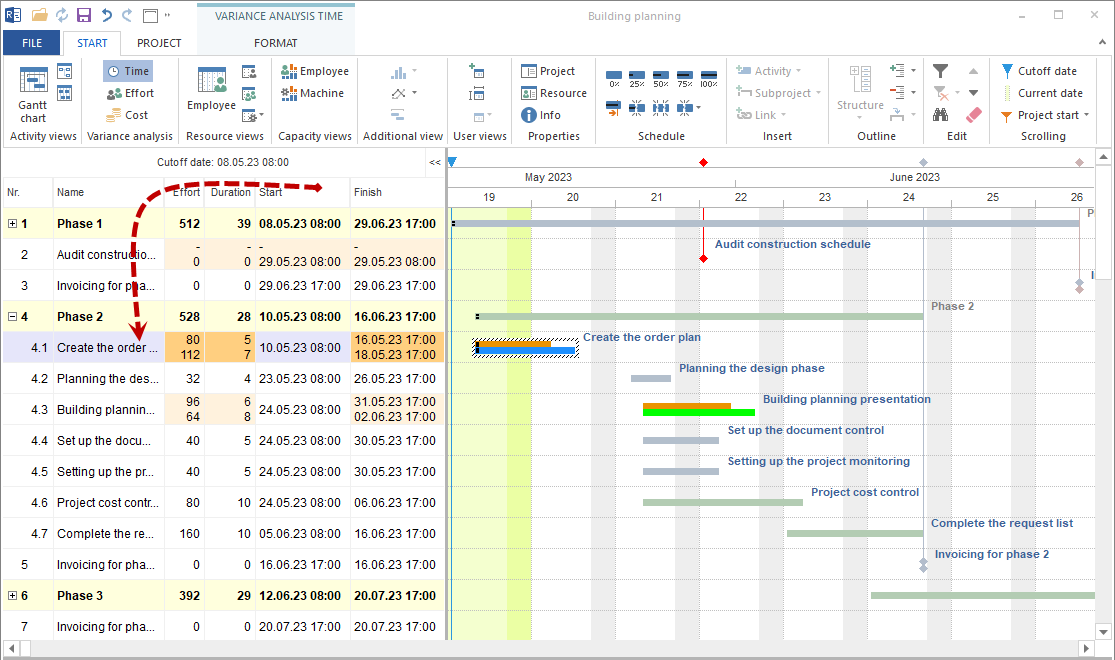
Location of the deviation
Does it affect one task, a subproject, one project, or several projects?
Type of deviation
Is it about dates, effort, costs, role demand, employee assignment, material, or machines?
Impact
Does the critical path move, does effort increase, do costs rise, or are resources overloaded?
Cause
Is the cause wrong planning, changed requirements, missing availability, execution feedback, or resource overload?
Decision need
Can the project manager act directly, is resource clarification required, or must PMO or management decide?
Use Warnings and Project Information
Rillsoft Project shows conflicts and critical states in project information. Use these warnings as the entry point for root-cause analysis.

Important warnings are:
Late activities: tasks should have progressed further by the cutoff date.
Overallocated resources: employees or other resources are planned beyond their available capacity.
Failed resources: non-working days or absences prevent planned work.
Unassigned resources: planned role effort is not yet covered by named employees.
Partially assigned resources: demand is only partly covered by available resources.
Project overview and Portfolio dashboard: condensed view of project and portfolio state.
When Replanning Is Needed
Replanning is useful when:
the critical path is affected
the project finish date is no longer reachable
effort or costs are permanently higher than planned
resource bottlenecks cannot be solved by simple reassignment
several tasks have the same cause
an approved scope or schedule change exists
No replanning is needed when:
the deviation is small and remains within available buffer
the cause has already been resolved
the task is not critical and no successor dates are endangered
only a feedback entry was entered late
Check Resources as a Cause
Because Rillsoft Project evaluates dates and resources together, always check the resource situation when schedule deviations occur.
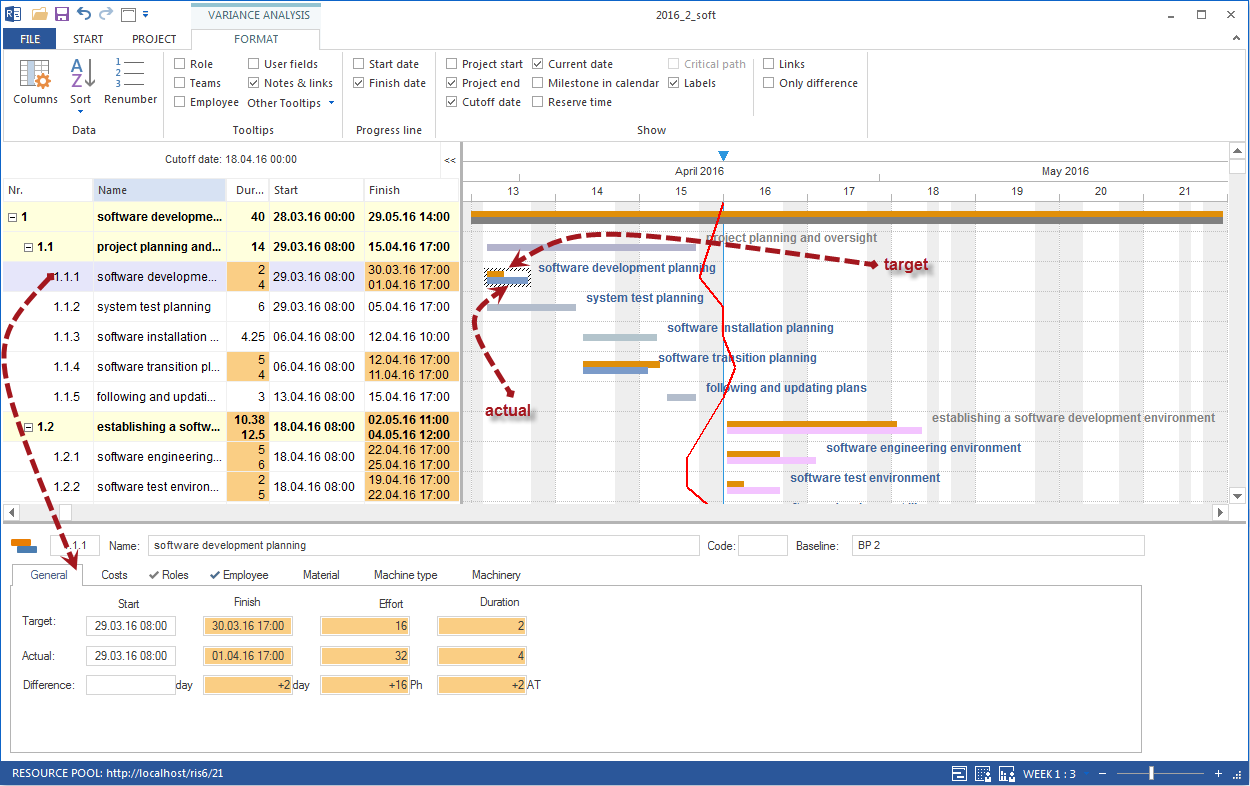
Check:
Is the required role demand fully covered by employees?
Are there overloads in the relevant period?
Are non-working days, vacation, or illness entered?
Are suitable employees available with the required professional qualifications?
Do other projects compete for the same capacity?
If resources are the cause, switch to capacity balancing before moving dates manually.
Prepare the Decision
Formulate the control decision concretely:
Situation |
Possible decision |
|---|---|
Task is late but still has buffer |
Monitor and check progress again at the next cutoff date. |
Critical task is late |
Clarify cause, check schedule and resources. |
Effort increases |
Reevaluate remaining effort, capacity, and costs. |
Employee is overloaded |
Perform capacity balancing and check assignment. |
Costs increase |
Check cost cause and financing. |
Plan change is approved |
Update the project and save a new baseline if required. |
Typical Mistakes
Deviations are evaluated only by color, not by cause.
Dates are corrected manually without checking dependencies and resources.
A new baseline is saved before the deviation is professionally approved.
Resource overloads are treated as a schedule problem.
Status reports list deviations but no decision or next action.