Manage Subprojects
Subprojects structure a project plan into manageable sections. This article describes how to edit existing subprojects, move tasks into a subproject, insert subprojects from templates, delete subprojects, and control their detail level. Creating new subprojects is described in Build a Project Structure.
Edit a Subproject
To change the properties of an existing subproject:
Click the subproject in the Gantt chart or the task table. The properties window opens.
Open the required tab and make the changes.
Click OK.
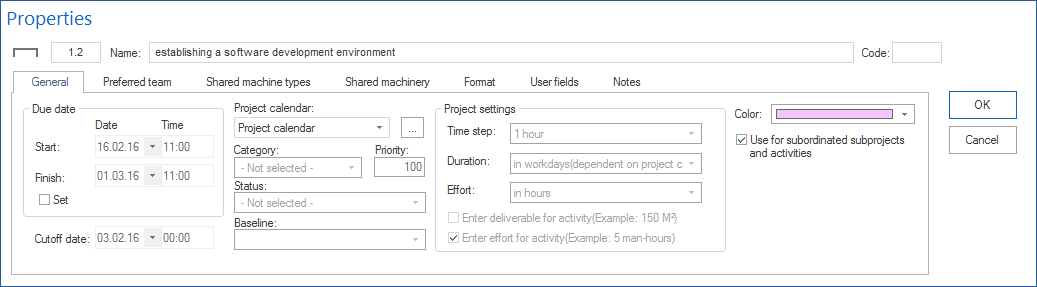
On the General tab, you define among other things:
Name and Code of the subproject
the Set check box — enable it when start and finish should not be calculated automatically from the tasks but set manually
Start / Finish — when Set is enabled
the project calendar for the subproject
Note
The Baseline and Time step fields only display which baseline and which time interval are used. They are defined in the main project.
Alternatives:
Important subproject parameters can be changed directly in the Gantt table.
With the mouse, you can move the subproject in time or change its duration in the chart (prerequisite: the subproject has set start and finish dates).
The subproject context menu provides quick access to the most important changes.
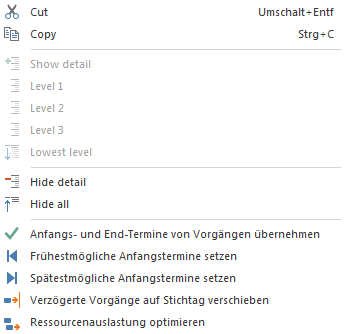
Move Tasks Into a Subproject
To combine existing tasks in a subproject:
Select the task bars you want to move into a subproject.
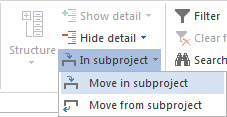
Choose Start > Outline > into subproject > Move into subproject.
In the Select subproject dialog, choose the target subproject.
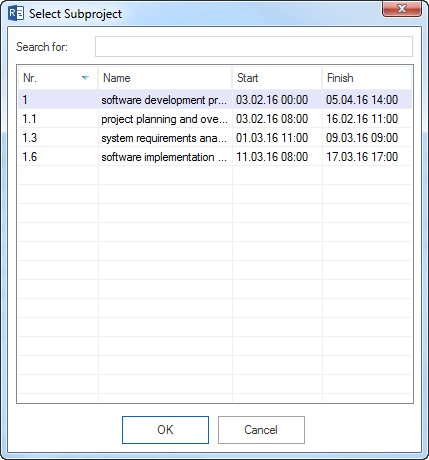
The tasks are moved into the subproject. With WBS codes enabled, the task numbering is subordinated to the subproject.
Insert a Subproject From a Template
You can insert an already saved project as a subproject into the current project.
From a file template:
Choose Start > Insert > Subproject from file template.
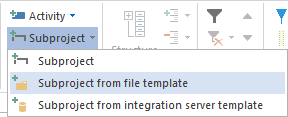
Select the project to insert in the Open dialog.
Define the start or finish of the subproject.
Optional: instead of the whole project, take over only selected tasks by marking them.
Click OK.
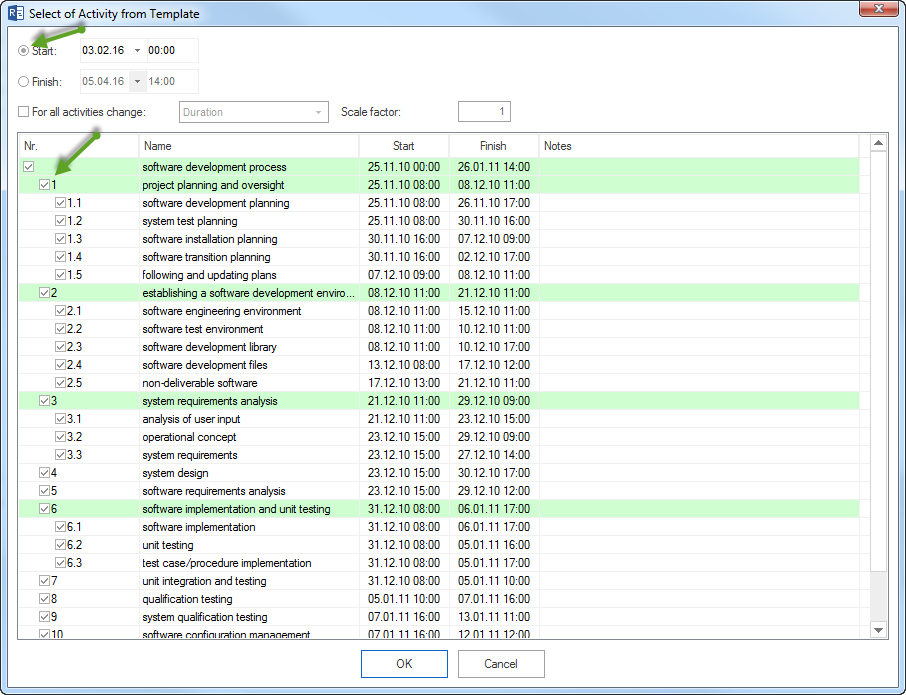
Alternatively, right-click in the chart area and choose New subproject from file template.
From an Integration Server template:
When working with Rillsoft Integration Server, choose Start > Insert > Subproject from Integration Server template and proceed the same way.
Note
The inserted project must use the same resource pool as the main project. If the resources differ, a message appears. Open the project separately first and align it with Project > Project resources > To resource pool. See Synchronize Resources.

Delete a Subproject
Deleting removes the subproject from the parent project plan. The contained tasks are deleted as well.
Delete a subproject:
Select the subproject in the task table or the Gantt chart.
Choose Start > Edit > Delete.
Confirm the prompt.
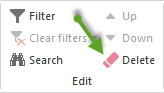
Alternative: Hold the right mouse button on a free area in the chart and strike through the subproject.

Important: Before deleting, check whether the contained tasks are really no longer needed and whether dependencies from or to tasks in the subproject exist. If the subproject was inserted from an external file, that file is kept when it is deleted from the main plan.
Show and Hide Subproject Detail
In the Gantt chart, control the detail level of a subproject from its context menu:
Show detail — shows the subproject detail down to the selected outline level.
Hide detail — hides the subproject detail down to the selected outline level.
Right-click the subproject and choose the required option.
Alternatively, show or hide all project levels at once with Start > Outline > Show/Hide detail.
Subprojects and the Resource Pool
When a subproject uses the same resource pool as the main project, its resource assignments affect capacity balancing of the main project and the portfolio.
Make sure that:
the resource pool is connected correctly with the subproject
resources are synchronized after inserting or editing subprojects when differences occur
More: Synchronize Resources
Common Problems
Problem |
Solution |
|---|---|
A subproject from a template cannot be inserted |
Check whether the project file is reachable or whether a connection to Integration Server exists. |
Message about resource differences when inserting |
Open the project separately and align it with Project > Project resources > To resource pool. |
Subproject start/finish do not match the tasks |
Disable the Set check box on the General tab so start and finish are calculated automatically from the tasks. |
Resource assignments from the subproject are missing in capacity balancing |
Check whether the subproject is synchronized with the resource pool. |