Resource Assignment
This section describes the concrete assignment of employees to tasks. It starts where project planning and resource planning have created the professional basis.
Rillsoft Project supports two valid paths:
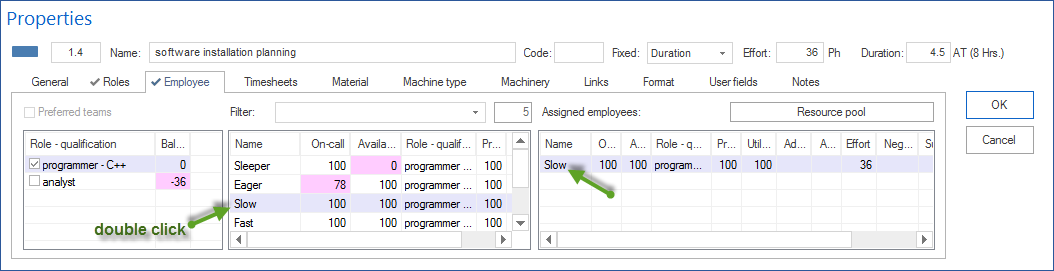
assign an employee directly to a task
assign an employee after capacity balancing
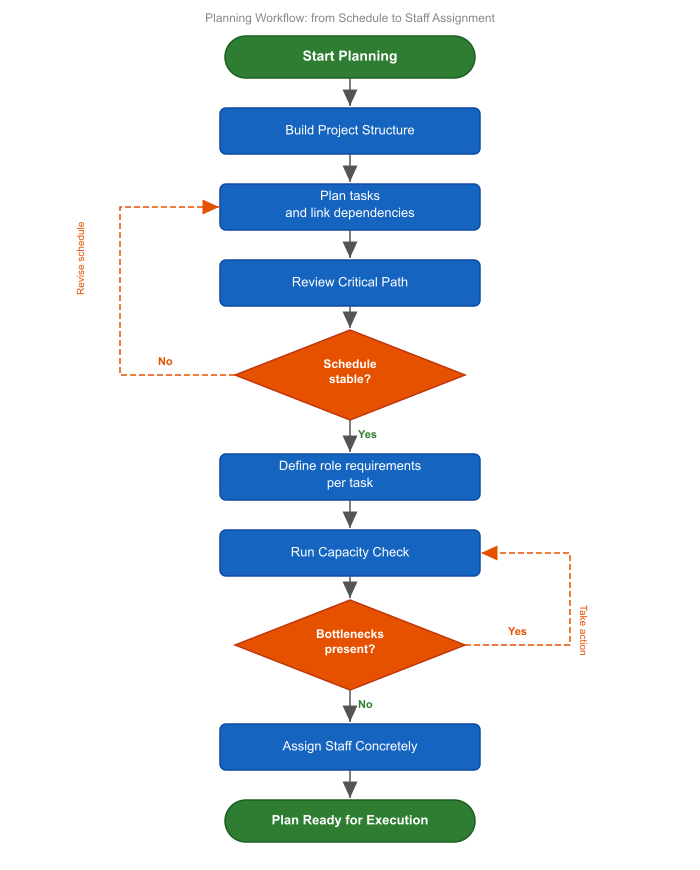
Distinction From Resource Planning
Resource planning answers which demand arises and whether resource supply is generally sufficient.
Resource assignment then answers which concrete employee performs which task.
This separation is important:
Resource planning first works with professional qualifications.
Capacity balancing checks demand against supply.
Resource assignment makes the assignment binding.
Variant 1: Direct Employee Assignment
Direct assignment is useful when:
only a few employees are involved
the project is manageable
no complex bottlenecks are expected
the project manager knows availability well
no prior qualification-based planning is required
In this variant, you select a task and assign an employee directly.
Variant 2: Assignment After Capacity Balancing
Assignment after capacity balancing is the recommended path when:
several employees have the same professional qualification
roles or professional qualifications were planned in advance
working times and non-working days are relevant
several projects compete for the same capacity
bottlenecks should be detected before binding assignment
In this variant, tasks are first planned with professional qualifications. Then capacity balancing shows whether matching working capacity is available in the planned period. Employees are assigned only after that.
Important Views and Functions
Important: Before assignment, check whether you are working with a general resource pool. If the status bar shows Project resources, switch to the resource pool.
For resource assignment, these views and functions are especially relevant:
Gantt chart for assigning resources directly at a task
Employee view for assigning tasks to an employee
Human Resource Capacity Balancing for assignment after qualification-based planning
Grouped resource views for analysis by employee, project, team, and professional qualification
Filter to select all or specific employees
Activities with matching role only
Activities tab in the resource properties window
Employee, Calendar, and Team members tabs for checking availability
Additional Gantt chart (Start > Additional view > Gantt chart) to show the Gantt chart beside a resource view
Additional resource diagram (Start > Additional view > Resource diagram) to compare demand and supply by role
Additional cost diagram (Start > Additional view > Cost diagram) for cost evaluation beside the resource view
Group Resource Views for Assignment
A simple employee list is often not enough for resource assignment. Grouped resource views show in which project an employee is already planned, which professional qualification the employee covers, and whether an assignment remains plausible in a team or portfolio context.
Typical groupings for resource assignment are:
Employee > Project to check which projects an employee is distributed across
Role > Employee to find suitable employees for a professional qualification
Project > Role > Employee to see which qualifications a project needs and which employees cover them
Team > Employee to evaluate utilization inside a team
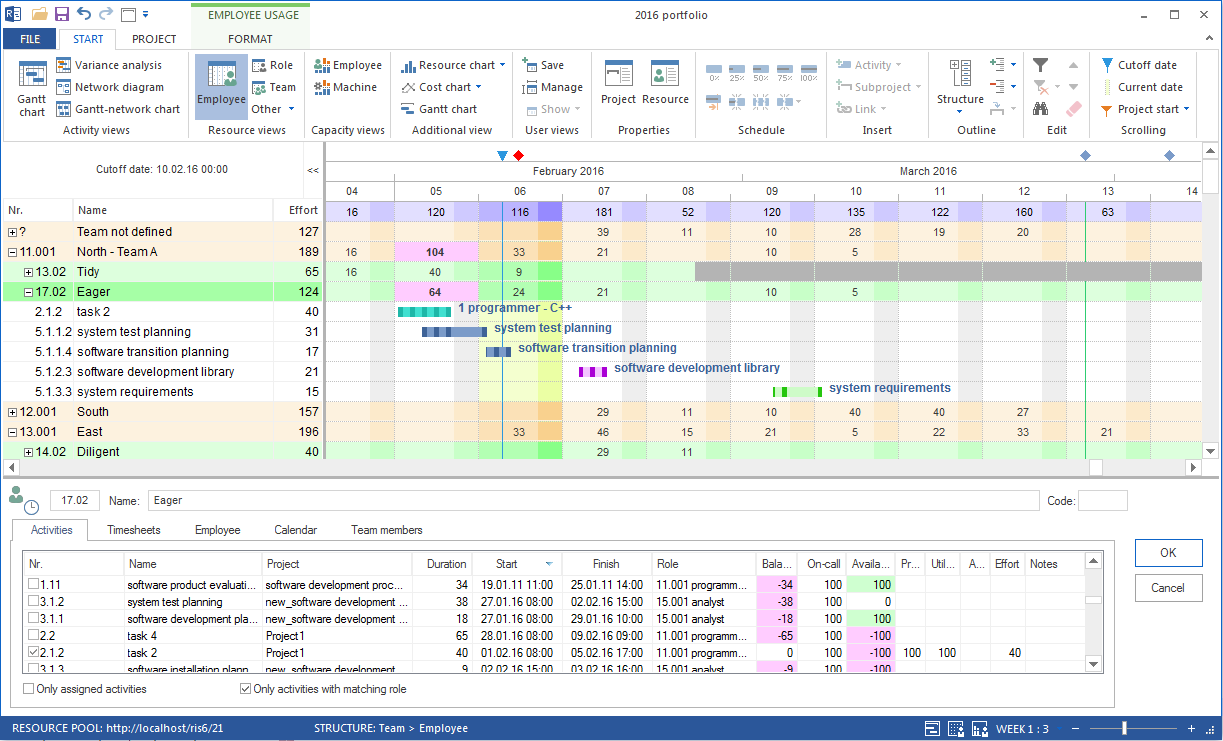
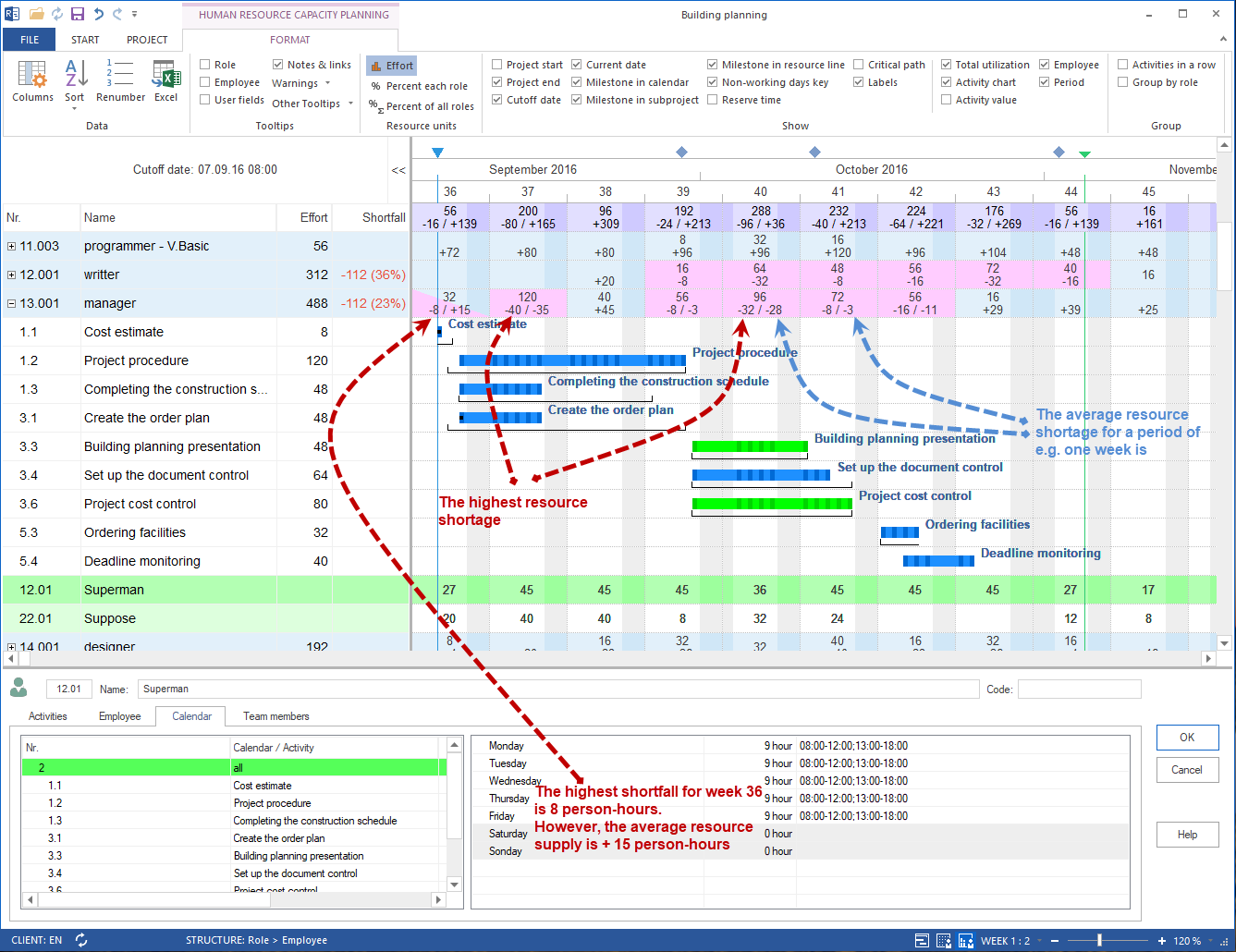
Open a resource or capacity view and choose Start > Outline > Grouping.
This analysis is especially important before a binding assignment. It helps avoid assigning an employee directly to a task even though the employee is already fully loaded in another project.
Decision Guide
Situation |
Recommended variant |
|---|---|
Small project, few employees, clear responsibilities |
Direct employee assignment |
Several suitable employees with the same professional qualification |
Assignment after capacity balancing |
Vacation, illness, shift calendars, or non-working days are relevant |
Assignment after capacity balancing |
Several projects share the same employees |
Assignment after capacity balancing |
One known employee should deliberately be fixed |
Direct assignment, then check utilization |
Result of Resource Assignment
After resource assignment, you should know:
which employee is assigned to which task
with which workload or effort the employee is planned
whether the assignment matches the professional qualification
whether availability, calendars, and non-working days were considered
whether overload or multiple booking arises
whether the assignment is plausible in the portfolio context
Next Steps
After assignment, check utilization and dates. If deviations occur, return to resource planning, capacity balancing, or project planning.
resource assignment, employee assignment, capacity based assignment, direct assignment, resource planning, resource demand, resource supply, project manager, resource manager