Multiproject Planning
Multiproject planning coordinates several projects that compete for the same resource pool, calendar horizon, priorities, and sometimes cross-project dependencies. In Rillsoft Project, this is more than displaying several Gantt charts together: the aim is to make the feasibility of parallel projects visible under limited resource capacity.
Rillsoft Project supports this with project portfolios, summary projects, cross-project links, capacity views, resource charts, baselines, and variance analysis.
Single Project, Summary Project, Or Portfolio
Use the right structure before analysing data.
Structure |
Use when |
Main risk |
|---|---|---|
Single project |
One project manager controls one project plan. |
Resource conflicts with other projects remain hidden. |
Summary project |
Several subprojects form one larger project structure with common steering. |
It may become too large if it is used as a portfolio replacement. |
Project portfolio |
Several independent projects should be analysed together for resources, dates, priorities, and dependencies. |
It is only useful when project status, priorities, and resource data are maintained. |
In standalone operation, file-based summary projects and local portfolios may be sufficient for small teams. With Rillsoft Integration Server or Rillsoft Cloud, project portfolios and summary projects can use centrally stored projects, permissions, and shared resource data.
How several project managers plan at the same time, with an example, locks, and a checklist: Planning as a Team: Multi-User Work and Summary Projects.
Resource Logic
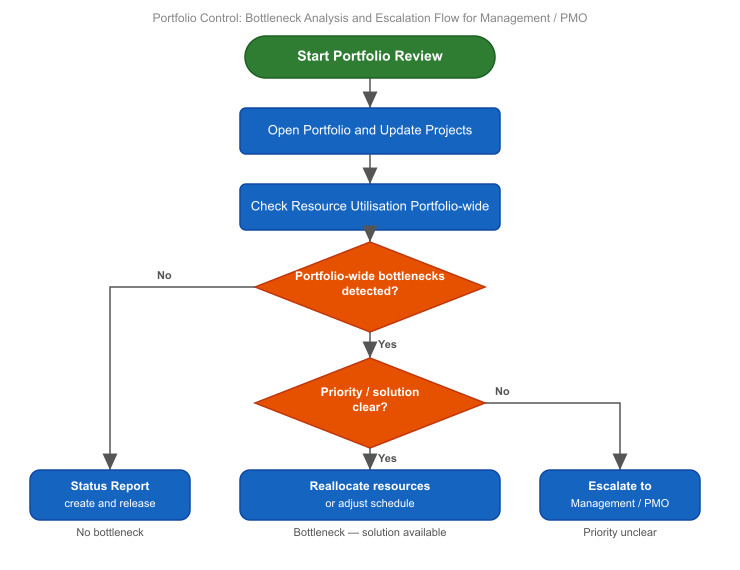
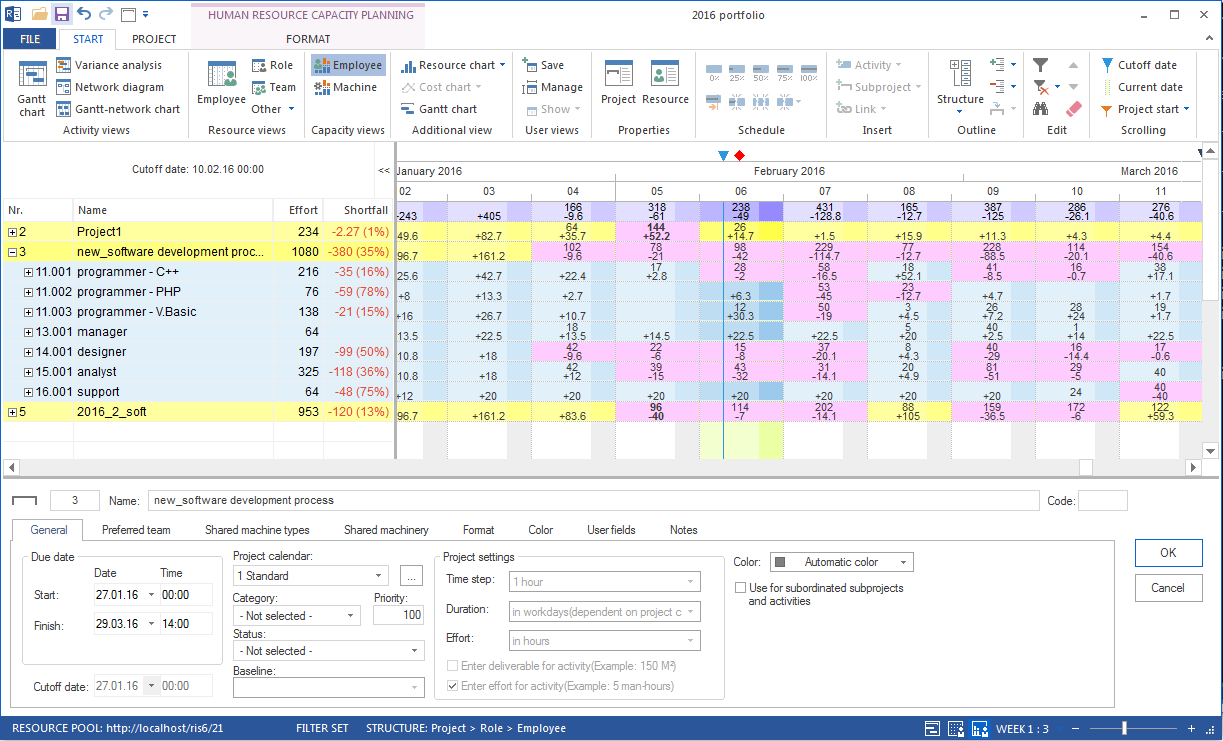
The central question in multiproject planning is: Which projects are realistic with the available employees, qualifications, and machine capacity?
For reliable answers:
Maintain one shared resource pool.
Plan activities by roles or professional qualifications before assigning named employees.
Use capacity balancing to compare resource demand with resource supply.
Evaluate bottlenecks in the portfolio context, not only inside one project.
Assign named employees only after the capacity situation is understood.
This approach follows the Rillsoft planning model: resource demand can be made visible before concrete people are assigned. That is essential when several projects use the same scarce qualifications.
Cross-Project Dependencies
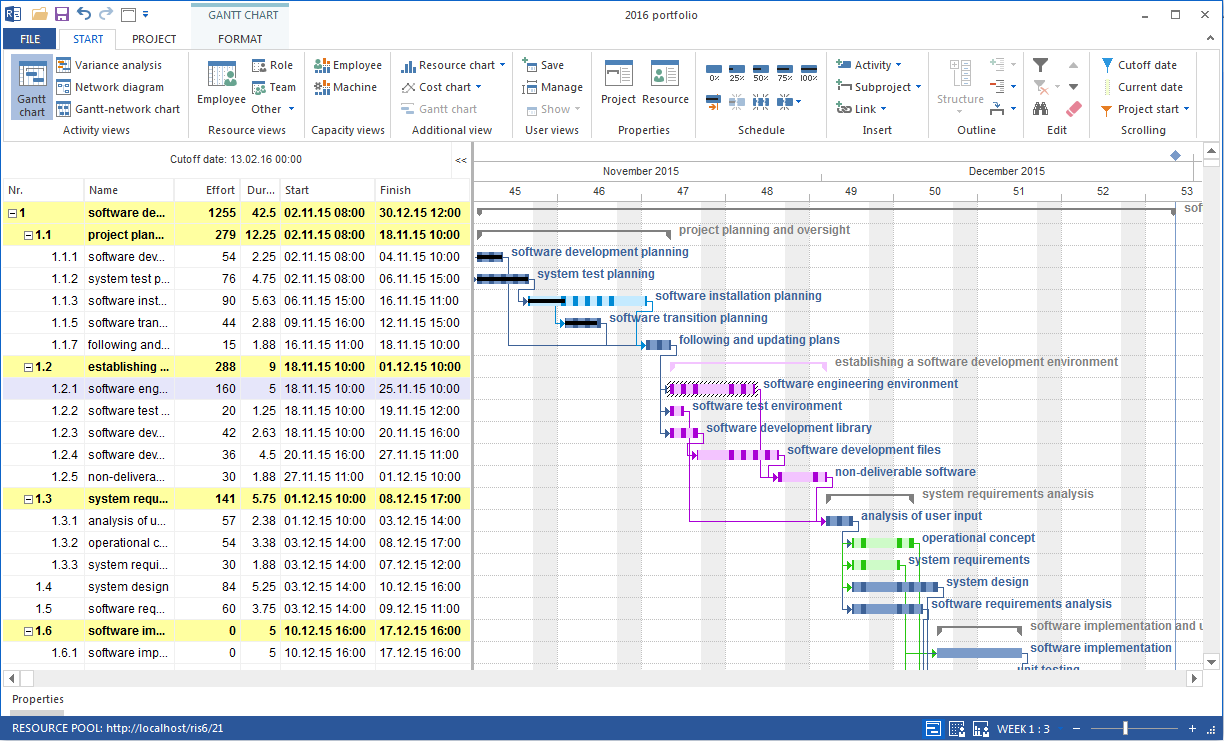
Cross-project links are relevant when an activity in one project depends on an activity in another project. In Rillsoft Project, cross-project links are used in portfolio work with Integration Server.
Typical examples:
a design project must finish before manufacturing starts in another project
a customer approval milestone affects several delivery projects
a scarce test facility is shared between projects
one project creates a deliverable used by another project
Cross-project links should be used deliberately. If every informal dependency is modelled as a link, the portfolio becomes hard to interpret. Model only dependencies that influence dates, capacity, or management decisions.
Important specifics:
Successors are not always moved automatically.
Negative intervals can arise when the successor is already planned before the predecessor finishes.
Released and calculated delay must be checked against each other.
Deviations can be checked under Project > Rillsoft Integration Server > Cross-project links; red marking indicates a difference between released and calculated delay.
Portfolio Steering Cycle
A practical multiproject steering cycle:
Update project status, priorities, and progress.
Reload server projects or portfolio data.
Check capacity balancing for key roles and bottleneck qualifications.
Review portfolio Gantt and cross-project links.
Simulate changes by excluding, postponing, or re-prioritising projects.
Document the decision and update the affected project plans.
Save or update baselines when a new approved plan is created.
Typical Mistakes
A portfolio is used only as a visual list of projects.
Project priorities are maintained but not used for resource decisions.
Resource conflicts are reviewed only after employees have already been assigned.
Each project uses a slightly different local resource pool.
Cross-project links are created without ownership or follow-up.
Summary projects are used where a portfolio decision process is needed.