Structure Resource Views
Resource and capacity views show more than a list of employees or roles. You can structure these views to analyze resource demand, resource supply, and utilization by several characteristics at the same time.
Structuring is especially useful when a simple employee or role list is not enough. This is often the case with several projects, several teams, similar professional qualifications, or a mixture of planned role work and concrete employee assignment.
When to Use Structured Views
Use structured resource views when you need to clarify:
which professional qualifications are required in which project
which employees cover which role demand
which teams are loaded in which project
which projects use the same employees
whether an overload comes from one task, one project, or several projects
where free capacity is available
Structure a View
Goal: The resource view is grouped by one or more characteristics.
Workflow:
Open a resource or capacity view, for example Employee, Roles, Role utilization, or Human Resource Capacity Balancing.
Click Start > Outline > Structure.
Select the required structure.
Check the newly structured view.
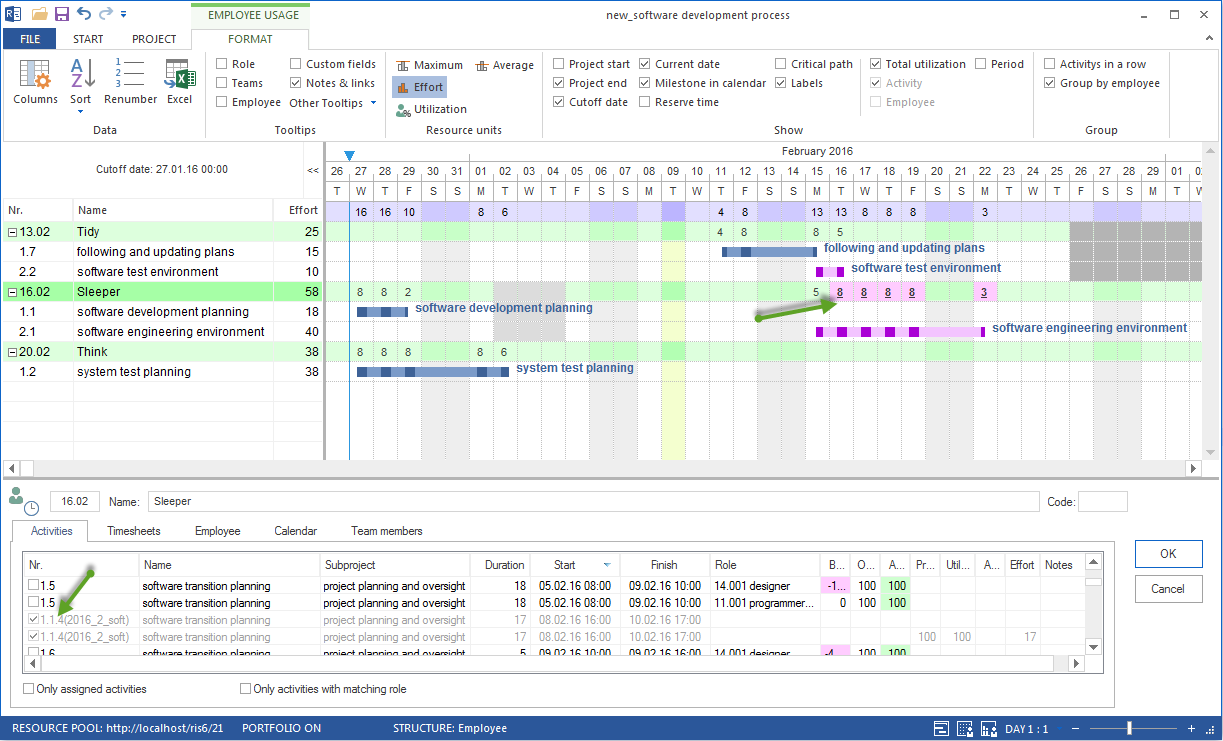
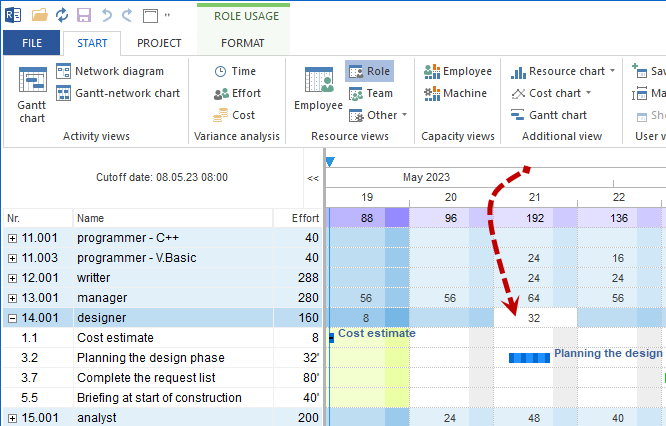
Rillsoft Project adapts the view automatically to the selected structure.

One-Dimensional Structuring
One-dimensional structuring groups the view by one characteristic. This display is clear and suitable for simple evaluations.
Typical characteristics:
Employee
Role or professional qualification
Team
Project
Two-Dimensional Structuring
Two-dimensional structuring combines two characteristics. This lets you see not only the resource but also the professional or organizational context.
Typical structures:
Employee > Project
Team > Employee
Role > Employee
Project > Employee
Three-Dimensional Structuring
Three-dimensional structuring combines up to three characteristics. This view is intended for complex resource and portfolio analyses.
Typical structures:
Project > Role > Employee
Team > Project > Employee
Role > Team > Employee
Relation to Resource Planning
In resource and capacity planning, structuring mainly helps separate demand from supply.
Use structuring to check:
whether planned role demand can be covered completely by employees
which professional qualifications are scarce
which employees are generally eligible for a role
whether shortfall comes from one project or several projects
whether a schedule move or another assignment is more appropriate
Relation to Resource Assignment
In resource assignment, structuring helps with concrete assignment decisions.
Use structuring to check:
which employee is already planned in which project
whether direct employee assignment creates overload
whether an employee matches the required professional qualification
whether the planned assignment remains plausible in the portfolio context
whether another employee with the same qualification is available
Typical Decision Situations
Question |
Suitable structure |
|---|---|
Which projects load an employee? |
Employee > Project |
Which employees cover a professional qualification? |
Role > Employee |
Which roles are missing in a project? |
Project > Role > Employee |
How is work distributed in the team? |
Team > Employee |
Which teams are loaded in which projects? |
Team > Project > Employee |
Typical Mistakes
Overload is considered only per employee without checking project, role demand, or shortfall.
Role demand is assigned directly to individual employees without comparing available alternatives.
Portfolio projects are evaluated individually although the same employees are planned multiple times.
The view is structured too deeply although a simple two-dimensional view would be sufficient.