Organize Collaboration in the Team
Rillsoft Project with Rillsoft Integration Server or Rillsoft Cloud makes simultaneous work technically possible. To keep shared planning reliable, the team also needs clear ground rules.
Checklist Before You Start
Item |
Recommendation |
|---|---|
Responsibility per project |
Exactly one project manager is responsible for each project. Others open the project read-only. |
Shared resource pool |
All projects that are planned or evaluated together use the same resource pool. See Create and Select a Resource Pool with Rillsoft Integration Server. |
Responsibility for the resource pool |
A named person maintains employees, roles, and calendars in the resource pool. |
Folder structure |
Create folders per undertaking, team, or department. Folder rights control who sees which projects and who may change them. |
Locking mode |
Define it uniformly in the team, usually pessimistic. See Work on Projects Simultaneously. |
Summary projects |
Define who creates and maintains summary projects, for example the overall project management. |
Cross-project dependencies |
Set them only for real professional dependencies and define who checks them. |
Status and priority |
Maintain them uniformly in every project so that summary project and portfolio can be sorted meaningfully. |
Coordination rhythm |
Fixed dates, for example a weekly status meeting, before which the summary project or portfolio is reloaded. |
A folder structure in Rillsoft Integration Server can look like this, for example:
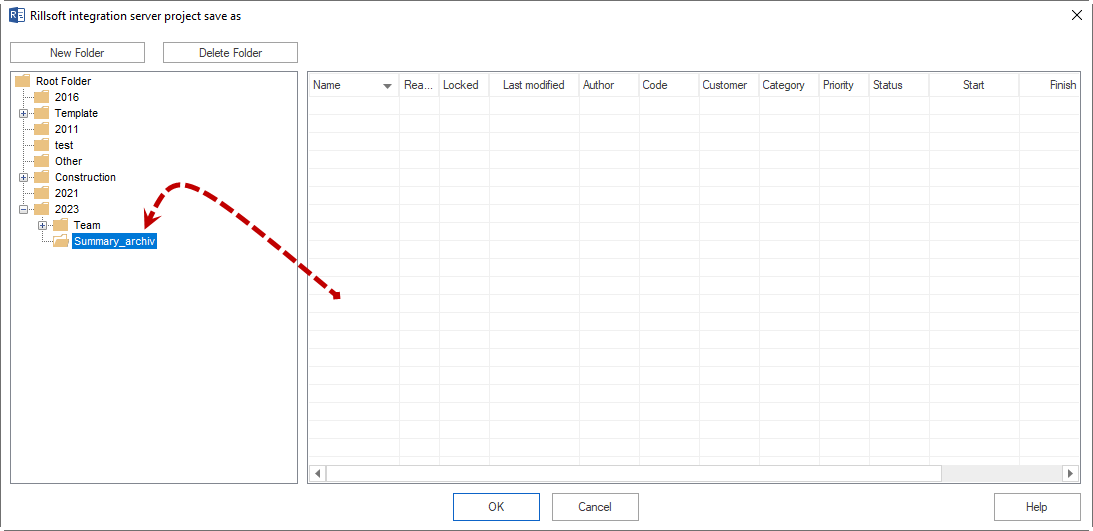
Folders, users, and access rights are set up by the administration in Rillsoft Integration Server. See Setting Up and Operating Integration Server.
Day-to-Day Workflow
Define and connect the shared resource pool.
Maintain projects with status, priority, and responsible persons.
Each project manager edits their own project.
The overall project management opens the summary project; PMO or executive management open the portfolio.
Set cross-project dependencies only where real professional dependencies exist.
Check capacity balancing across all projects involved.
Evaluate delays, link distances, and bottlenecks regularly in status meetings.
Typical Mistakes
Projects in the summary project or portfolio use different resource pools.
Several people change the same project without clear responsibility.
Projects remain locked for a long time.
The summary project is understood as mere storage for several projects instead of being used for shared planning.
Cross-project dependencies are set too often and are not checked.
Resource conflicts are checked only in the individual project although other projects use the same employees.
Related Topics
ground rules, checklist, responsibility, folder structure, locking mode, status meeting, multiproject planning, multiple projects, portfolio, project portfolio, master project, pmo, it and administration, project manager