Cross-project links in summary project
In the summary project you can link several projects with each other. Important! This function is only included in Rillsoft Project with Rillsoft Integration Server and links can only be edited in the summary project.
In cross-project links, succeeding activities are shifted not automatically, but the program sets negative intervals instead. By means of the menu item Project > Rillsoft Integration Server > Cross-project links, you can check these links and obtain detailed information about them, such as occurring delays.
You can choose whether you want to accept only single or all of the changes you have made to these settings.
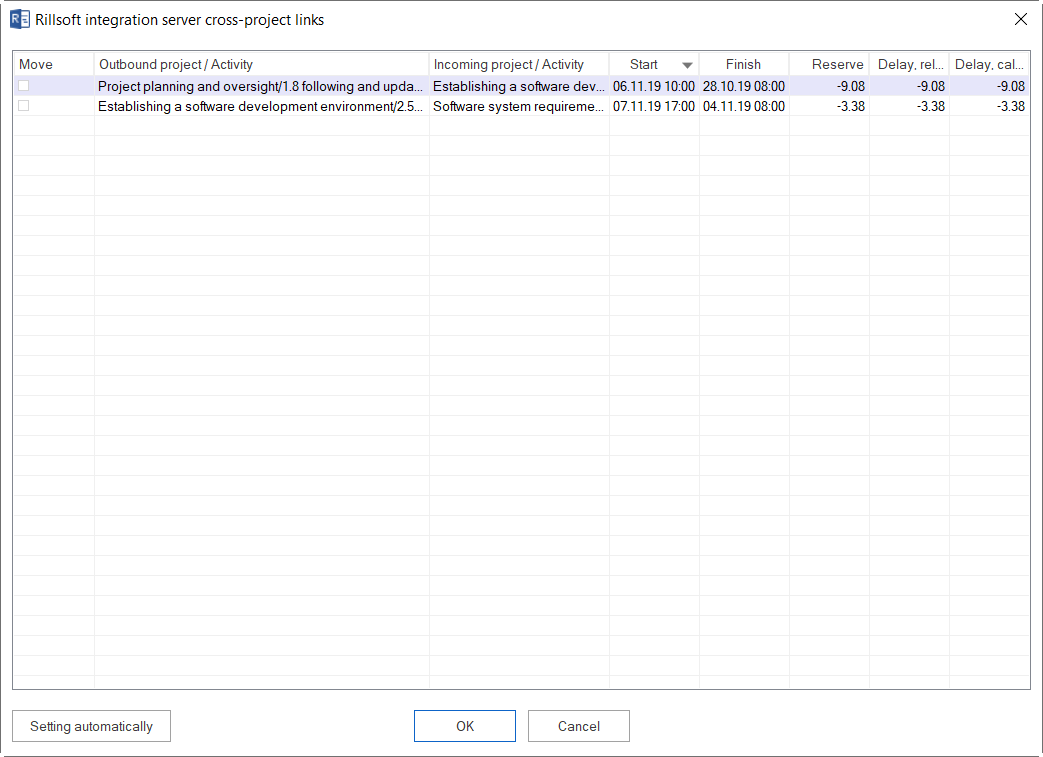
The following information and options are available:
Move |
The calculated delay will be compensated by the approved delay when you click on the check box. |
Outgoing project / activity |
Displays outgoing projects/activities. |
Incoming project / activity |
Displays incoming projects/activities. |
Start |
Shows, where a link starts. |
Finish |
Shows, where a link ends. |
Reserve |
Shows the interval between the outgoing and incoming positions in absolute time. |
Delay, Release |
Displays the value of the released interval. |
Delay, Calculation |
Displays the value of the calculated interval. |
Red background colouring signals that there is a discrepancy between the released and the calculated delay.
Set to automatic
Click this button if all calculated delays should be automatically aligned with the released delays.
Types of links
The following link types are at your disposal:
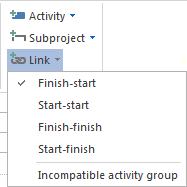
Finish-Start |
the “from” activity must finish before the “to” activity can start |
Start-Start |
the “from” activity must start before the “to” activity can start |
Finish-Finish |
the “from” activity must finish before the “to” activity can finish |
Start-Finish |
the “from” activity must start before the “to” activity can finish |
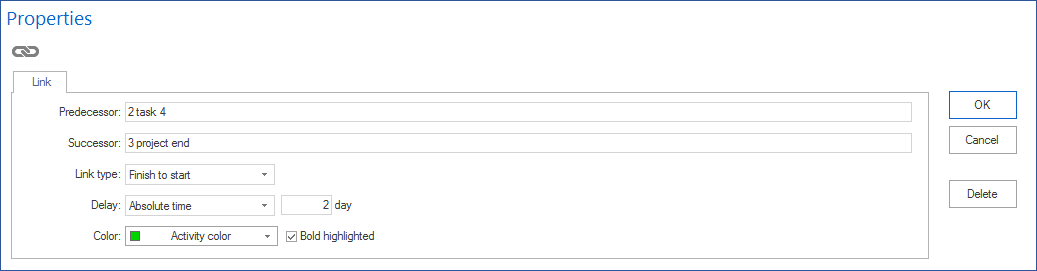
Time intervals
Intervals can be defined in Project properties in relation to the time unit of the duration (such as hours or days). Intervals can only be defined in absolute time (estimated duration including non-working time, such as: 10 hours or 2 days).
Intervals can have
positive (such as: + 2 hours) or
negative (such as: - 50% = overlapping)
signs.
Highlight link
Links can be highlighted by means of colour or boldface.
Create cross-project link
New cross-project links can be only created by Rillsoft Project with Rillsoft Integration Server in the summary project. In order to create a new cross-project link, do as follows:
Choose the link type via the menu item Start > Insert > Link.
- Connect two activities by drawing your mouse from one activity of a
project to another activity from another project.
- If necessary, enter the delay (positive or negative) by which you want
to delay the “to” acticity depending on the selected link type.
Note: If you do not enter any delay, the delay related to positions of outgoing and incoming activities is automatically calculated.
Click on the button OK.